
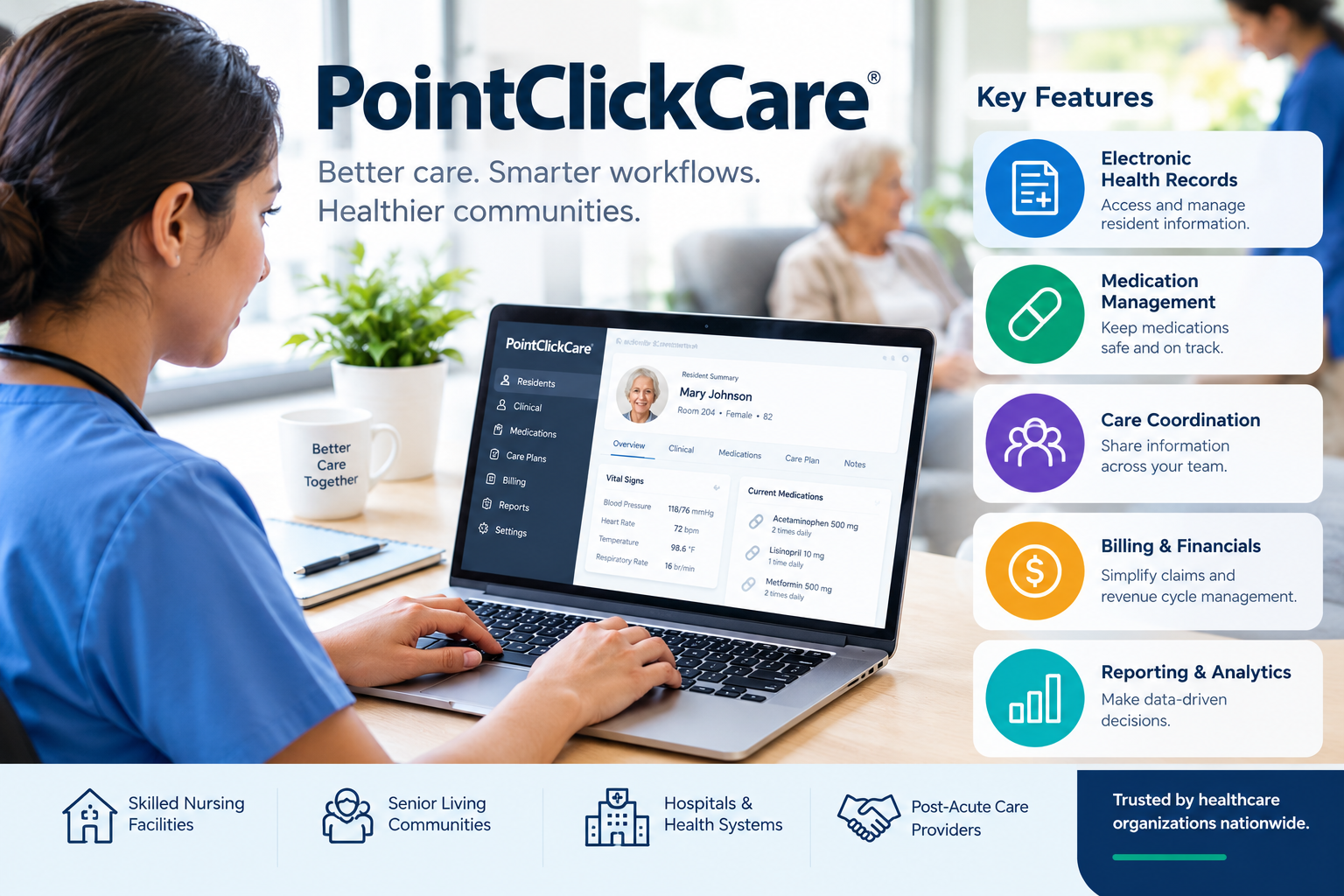
PointClickCare is a healthcare technology platform designed to help healthcare organizations manage resident information, clinical documentation, care coordination, and administrative operations. It is widely associated with skilled nursing facilities, senior living communities, and long-term and post-acute care providers.
Healthcare facilities often manage large amounts of information, including medical histories, medication records, care plans, assessments, billing details, and discharge documents. Keeping these records organized is essential for coordinating care and maintaining accurate documentation. PointClickCare brings many of these workflows into a connected digital environment.
In this guide, you will learn what PointClickCare is, how it works, its main features, who uses it, and what authorized users should know about accessing the platform.
What Is PointClickCare?
PointClickCare is a healthcare software provider that offers electronic health record (EHR) systems and related tools for healthcare organizations. Its technology helps providers organize clinical information, coordinate services, and manage financial and operational processes.
The platform supports several healthcare settings, including skilled nursing facilities, senior living communities, hospitals and health systems, and organizations involved in post-acute care coordination. The exact tools available depend on the organization’s needs and its selected products.
Unlike a simple digital filing system, PointClickCare can connect different workflows. For example, clinical staff may document resident assessments while administrative teams use related systems to manage billing and operational information.
You can explore its solutions on the official PointClickCare website.
How Does PointClickCare Work?
PointClickCare helps authorized healthcare professionals access and manage information through digital systems configured for their organization.
Although the exact process varies by facility, a typical workflow may include the following steps:
- Access the system: Authorized employees sign in using the credentials and access method provided by their organization.
- Open the appropriate record: Staff locate the resident or patient record relevant to their responsibilities.
- Review information: Depending on their permissions, users may review diagnoses, allergies, vital signs, care plans, assessments, and other documented information.
- Record updates: Staff enter relevant observations, care activities, assessments, or other information according to facility procedures.
- Coordinate care: Authorized team members use available communication and coordination tools to share relevant information.
- Support administration: Designated employees may use connected workflows for billing, claims, reporting, and operational management.
These steps illustrate a general workflow rather than a universal procedure. The available screens and functions depend on the facility’s configuration, the user’s role, and the products it uses.
Key PointClickCare Features
PointClickCare offers a range of healthcare technology solutions. Not every facility will have access to every feature, but several major capabilities are central to its skilled nursing and senior care offerings.
1. Electronic Health Records
Electronic health records help healthcare providers store and organize patient or resident information digitally.
Depending on the solution, records may include medical diagnoses, allergies, assessments, vital signs, progress notes, and care plans. Authorized staff can use this information to understand documented health needs and support continuity of care.
Digital records can also make information easier to retrieve than searching through paper files. However, staff must still enter information accurately and follow the organization’s documentation procedures.
2. Clinical Documentation and Care Plans
Healthcare teams need reliable documentation to understand what care a resident requires and what services have been provided.
PointClickCare’s clinical documentation tools can support assessments, progress notes, care plans, and point-of-care documentation. These features help staff record relevant information within their established workflows.
For example, a nurse may document an assessment or update a care record after an observation. Other authorized team members can then consult the available documentation when performing their duties.
Software supports this process, but it does not replace professional judgment, clinical assessment, or appropriate supervision.
3. Medication and Order Management
Medication management is an important part of care in skilled nursing and senior living environments.
Depending on the facility’s selected products, PointClickCare solutions may support medication orders, electronic medication administration records, pharmacy integrations, and related documentation.
These tools can help authorized personnel manage medication information and coordinate with pharmacy partners. The exact functions vary by product and configuration.
Healthcare professionals must follow applicable medication safety procedures and verify relevant information before administering or changing treatment.
4. Care Coordination and Communication
Residents may receive services from nurses, physicians, therapists, pharmacists, and other healthcare professionals. When information is difficult to share, teams can face delays or incomplete records.
PointClickCare provides communication and care coordination capabilities intended to help authorized teams exchange relevant information and manage transitions between care settings.
For instance, when a resident moves from a hospital to a skilled nursing facility, accurate transfer information can help the receiving team understand documented diagnoses, medication information, and ongoing care needs.
Successful coordination still depends on timely documentation, appropriate access, and communication between the professionals involved.
5. Billing and Revenue Cycle Management
Healthcare facilities also need to manage the financial side of care delivery.
Depending on the products in use, PointClickCare can support billing, accounts receivable, claims management, collections, and related financial workflows.
These tools can help administrative teams organize payment information, monitor outstanding balances, and manage claims-related tasks. Keeping financial records accurate is important because errors or missing information can lead to delays and additional administrative work.
6. Reporting and Analytics
Reporting tools help organizations review information about clinical, financial, and operational activities.
Depending on the available modules, managers may use dashboards and reports to examine performance indicators, documentation patterns, financial activity, or other organizational measures.
Reports can help teams identify areas that need attention, but their usefulness depends on data quality, correct interpretation, and suitable reporting practices.
Who Uses PointClickCare?
PointClickCare is designed primarily for healthcare organizations and professionals whose work involves patient or resident care, administration, and coordination.
Common users include:
- Skilled nursing facilities: Organizations providing nursing care, rehabilitation, and related services.
- Senior living communities: Facilities that coordinate resident services, wellness activities, and care documentation.
- Nurses and clinical staff: Professionals who document assessments, care activities, and other clinical information.
- Physicians and practitioners: Authorized providers who may review records and coordinate care.
- Healthcare administrators: Employees responsible for facility operations and documentation processes.
- Billing and finance teams: Staff who manage claims, payments, accounts receivable, and related tasks.
- Care coordinators: Professionals who help manage information and transitions between healthcare settings.
The access available to each person depends on their responsibilities and the permissions assigned by their organization.
Benefits of PointClickCare for Healthcare Providers
The benefits of PointClickCare depend on how a facility implements and uses the platform. However, connected healthcare software can support several practical objectives.
More Organized Records
Digital records can make it easier for authorized staff to locate documented information without searching through multiple paper files.
A structured record system may also help facilities maintain more consistent documentation practices.
Improved Team Coordination
When relevant information is available to authorized team members, staff may be better positioned to coordinate activities and follow established care plans.
This is particularly important when several professionals are involved in a resident’s care.
More Efficient Administrative Work
Digital workflows may reduce repetitive data entry and simplify certain documentation, billing, and reporting tasks.
The actual time saved depends on staff training, system configuration, and how well the software fits existing processes.
Better Visibility Into Operations
Reports and dashboards can help managers review selected performance indicators and identify areas requiring further investigation.
These insights can support planning, provided the information is accurate and interpreted appropriately.
Support for Continuity of Care
Organized documentation and information-sharing tools can help staff access relevant records when residents move between care settings.
Continuity still requires accurate records, timely updates, and appropriate communication among care providers.
PointClickCare Login: How Authorized Users Access the Platform
People searching for PointClickCare often want to find the login page for their workplace. Access should always be obtained through an official route or the instructions provided by the employing healthcare organization.
To sign in safely:
- Use your facility’s instructions: Follow the login link or access method provided by your employer or IT department.
- Verify the website: Check that the address is correct before entering your username or password.
- Enter your assigned credentials: Use the account issued to you by your organization.
- Complete additional verification if required: Your facility may use multifactor authentication or another security measure.
- Contact IT support if access fails: Ask your organization’s support team to help with account problems, password resets, or permission issues.
You can start by visiting the official PointClickCare website and following the appropriate route for your organization.
Avoid unofficial login pages, unexpected links, and websites asking you to disclose sensitive account information. Never share your password or verification codes with someone who is not authorized to receive them.
If you are a resident or family member seeking access to information, ask the healthcare facility which portal or communication channel is available for your situation. Employee access and resident or family access may use different systems.
PointClickCare Security and Patient Information
Healthcare records contain sensitive information, so access control and privacy are essential.
PointClickCare offers security-related capabilities as part of its healthcare technology solutions. Depending on the product and configuration, these may include user access management, authentication features, and controls that help organizations manage access to records.
However, software features alone cannot guarantee that information will always remain secure. Healthcare organizations also need appropriate policies, staff training, account management, and incident-response procedures.
Users can help protect information by following these practices:
- Use only their own authorized accounts.
- Create strong passwords and protect verification codes.
- Avoid accessing patient or resident records without a legitimate work-related reason.
- Lock devices when leaving workstations unattended.
- Follow facility policies for handling and sharing sensitive information.
- Report suspicious activity or possible data exposure promptly.
Healthcare privacy requirements vary by jurisdiction. Organizations should follow the laws and professional obligations that apply to their operations.
Challenges and Considerations Before Using PointClickCare
Although healthcare software can simplify many workflows, implementation and day-to-day use require planning.
Staff Training
Employees need to understand how to navigate the system and complete tasks correctly. Without adequate training, staff may enter incomplete information or struggle to use available features.
Implementation and Integration
Facilities may need to configure workflows, transfer existing information, and connect the platform with other systems. The complexity depends on the organization’s size and technology environment.
Data Accuracy
Digital records are only useful when the information entered is accurate and up to date. Organizations need clear documentation standards and processes for correcting errors.
Access and Technical Issues
Users may occasionally encounter login problems, connectivity interruptions, or system-related difficulties. Facilities should have support procedures and contingency plans for essential operations.
Cost and Product Selection
Different organizations have different needs, and the cost of a solution can depend on the products, modules, integrations, and services selected. Facilities should request current pricing directly from PointClickCare and evaluate the total cost of implementation, training, and ongoing support.
Before adopting any healthcare platform, organizations should assess their workflows, regulatory responsibilities, staffing requirements, integration needs, and long-term goals.
PointClickCare vs. Traditional Healthcare Recordkeeping
PointClickCare and traditional paper-based recordkeeping differ mainly in how information is stored, accessed, and managed.
| Feature | PointClickCare digital workflows | Traditional paper records |
|---|---|---|
| Record storage | Electronic records within configured systems | Physical files and folders |
| Information retrieval | Search and navigation tools may speed up access | Staff often locate and review files manually |
| Documentation | Digital entry and structured workflows | Handwritten or printed documentation |
| Team coordination | Electronic communication and sharing features may be available | Often depends on physical files and separate communication |
| Reporting | Selected data may be used in reports and dashboards | Reports may require manual compilation |
| Access management | Permissions and authentication controls may be available | Physical access and file-handling procedures are important |
| Operational requirements | Requires suitable technology, training, and support | Requires physical storage and paper-management processes |
Neither approach automatically guarantees accurate documentation or high-quality care. Digital systems can improve access and organization, but facilities still need reliable procedures, trained employees, and appropriate safeguards.
Frequently Asked Questions About PointClickCare
Q1: What is PointClickCare used for?
Ans: PointClickCare is used by healthcare organizations to support electronic health records, clinical documentation, care coordination, medication-related workflows, billing, and operational management. Available functions depend on the products selected by each organization.
Q2: Is PointClickCare an electronic health record system?
Ans: Yes. PointClickCare offers electronic health record solutions, including products designed for skilled nursing facilities and senior living communities. Its broader portfolio also includes related healthcare, financial, and operational tools.
Q3: Who can log in to PointClickCare?
Ans: Authorized users may include healthcare professionals, facility employees, practitioners, and administrators. Access depends on the organization’s setup and the permissions assigned to each account.
Q4: How do I reset my PointClickCare password?
Ans: Follow your facility’s approved password-reset process or contact its IT support team. The available reset options depend on how your organization manages accounts and authentication.
Q5: Is PointClickCare available to family members?
Ans: Family access depends on the facility and the services it uses. Ask the care provider whether a resident or family portal is available and how to obtain authorized access.
Q6: Does PointClickCare replace healthcare professionals?
Ans: No. The platform supports documentation, coordination, and administrative workflows. Qualified healthcare professionals remain responsible for clinical assessment, treatment decisions, and the delivery of care.
Q7: How much does PointClickCare cost?
Ans: Pricing depends on the products, modules, organization, and services required. Healthcare providers should contact PointClickCare directly for a quote tailored to their needs.
Final Thoughts
PointClickCare is a healthcare technology platform that helps organizations manage clinical records, coordinate care, and handle selected administrative and financial processes. Its tools are designed to support settings such as skilled nursing facilities and senior living communities.
For healthcare providers, the potential value comes from organizing information and connecting workflows. Real-world results depend on accurate documentation, appropriate system configuration, staff training, and strong privacy practices.
Whether you are a healthcare employee looking for login guidance, an administrator evaluating software, or a reader researching healthcare technology, start with the official PointClickCare website and confirm the specific features and access options relevant to your organization.