
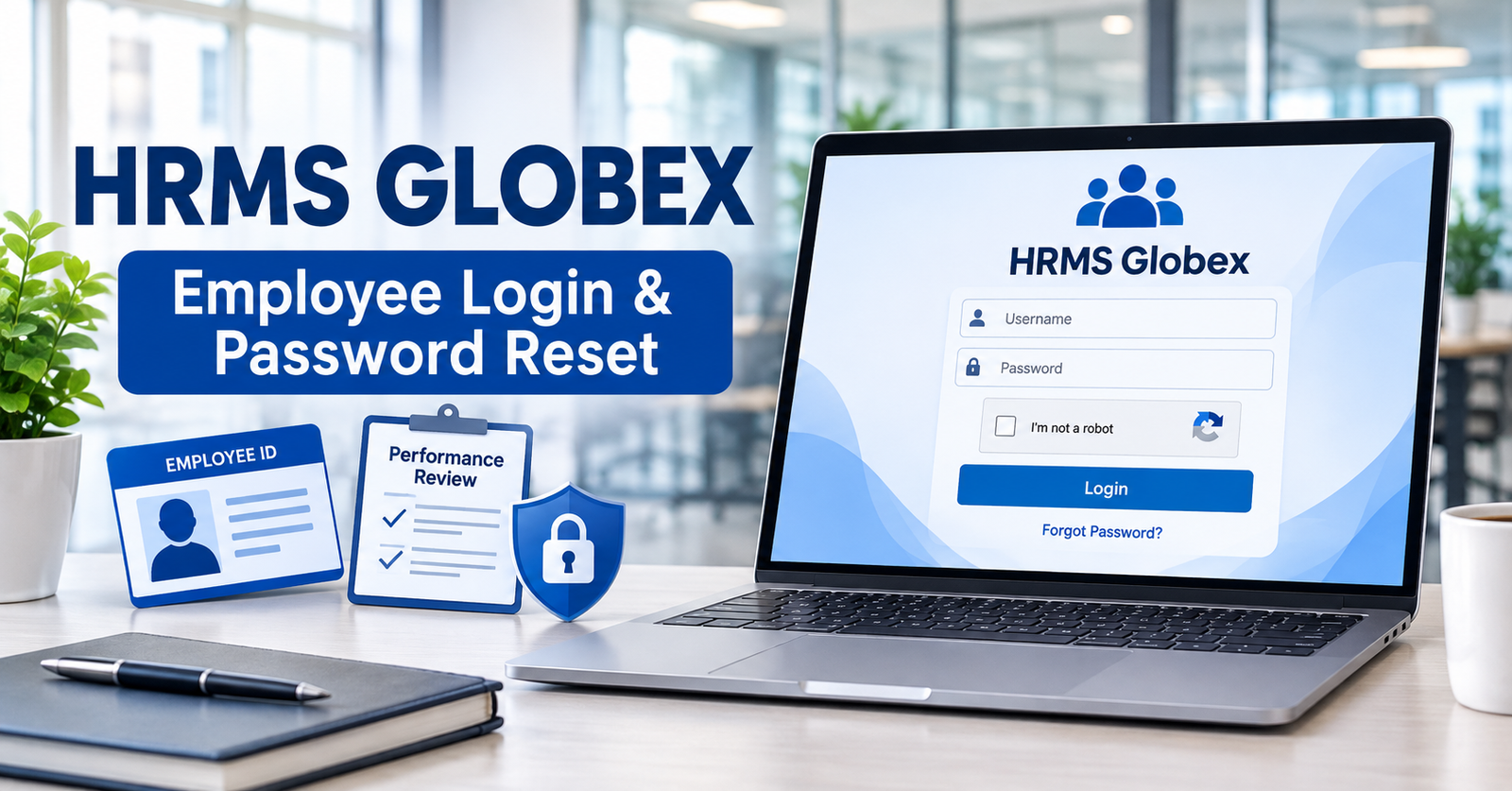
HRMS Globex is a web-based employee human resource management portal with a publicly accessible login page at hrms.theglobex.com. The portal requires a username, password, and CAPTCHA. Official documents from 2018 and 2021 also establish its historical use for employee performance reviews and appraisal letters. However, current payroll, leave-management, and mobile-app features have not been independently verified.
If you are searching for HRMS Globex, you may want to sign in, recover your password, check an appraisal, or understand which employee services are available.
The challenge is that many online guides describe the platform as an all-in-one HR system without showing reliable evidence for every advertised feature.
This guide uses the publicly accessible login pages and original employee manuals to explain what can be confirmed, what existed historically, and what employees should check with their HR department.
Important: Before entering workplace credentials, confirm with your employer that the portal address is authorized for your account.
What Is HRMS Globex?
HRMS stands for Human Resource Management System, a category of software used to organize employee-related processes.
HRMS Globex is associated with a web-based employee portal that provides an authentication interface and has documented historical performance-management functionality.
The publicly accessible login page confirms that users must provide credentials before reaching private employee information.
Its original manuals demonstrate that the system previously supported structured staff reviews and appraisal-related activities.
HRMS Globex at a Glance
| Feature | Verified status |
|---|---|
| Platform | Employee-facing Human Resource Management System |
| Observed portal | https://hrms.theglobex.com/Web/Default.aspx |
| Login requirements | Username, password, CAPTCHA |
| Forgot password | Public recovery page available |
| Recovery information | Employee Code and CAPTCHA |
| Public self-registration | Not displayed on the login page |
| Performance reviews | Documented in the 2018 manual |
| Appraisal letters | Documented in the 2021 manual |
| Attendance information | Historically used in performance assessments |
| Payroll and salary slips | Current functions not independently verified |
| Employee leave requests | Current workflow not independently verified |
| Official mobile application | Not independently confirmed |
| Commercial pricing | No verified public pricing on the observed portal |
| Current legal operator | Not conclusively established through the reviewed public materials |
Purpose of the HRMS Globex Employee Portal
The clearest documented purpose of HRMS Globex is to support employee access to internal human resources processes.
The 2018 Performance Management System guide explains how eligible employees could complete self-assessments, submit their work for manager review, and receive final assessments.
A separate 2021 guide describes how employees could access appraisal letters and acknowledge their reviews.
These records establish a practical HR function beyond the login screen.
They do not, however, provide a complete current inventory of the system’s private modules.
Who Can Access HRMS Globex?
The public portal is designed around credentials rather than open visitor registration.
Employees who have been assigned authorized access can use the details provided by their employer or HR administrator.
Managers and reviewers may have access to different tasks, as demonstrated by the roles in the historical PMS documentation.
The portal does not display an open self-registration form that allows any visitor to create an employee account.
If you have recently joined an organization and have not received access details, contact your HR team rather than attempting to create credentials through an unfamiliar website.
HRMS Globex Versus General HR Management Software
Commercial HRMS products commonly offer payroll, attendance, leave, recruitment, and employee-record tools.
However, those common industry capabilities should not automatically be attributed to HRMS Globex.
What matters is whether a particular function appears in official documentation or has been confirmed within an authorized current account.
For HRMS Globex, public authentication and historical performance management have stronger supporting evidence than the broader software descriptions found in many third-party articles.
HRMS Globex Login: Step-by-Step Instructions
The observed HRMS Globex login page provides a conventional username-and-password interface with a CAPTCHA verification field.
Employees should use the exact address confirmed by their employer.
How to Log In
- Open a trusted web browser on your computer or mobile device.
- Navigate to the employer-confirmed HRMS Globex portal. The publicly observed address is https://hrms.theglobex.com/Web/Default.aspx.
- Enter your assigned username in the USER NAME field.
- Type your password in the PASSWORD field.
- Read the CAPTCHA displayed on the screen and enter the characters in the corresponding field.
- Submit the login form.
- If authentication succeeds, continue to the employee services your account is authorized to access.
These instructions are based on the public login interface. The authenticated dashboard and its current menus were not independently inspected.
What Is the CAPTCHA For?
CAPTCHA is a challenge used by websites to help distinguish ordinary human interaction from certain automated requests.
The HRMS Globex login screen displays a CAPTCHA and a refresh control.
If the characters are difficult to read, use the available refresh option to generate another challenge.
CAPTCHA does not replace a strong password or establish that every part of a website has undergone an independent security audit.
First-Time Employee Login
The observed portal does not provide public account creation.
New employees should ask their HR administrator to confirm whether an account exists, how initial credentials are distributed, and whether additional activation steps apply.
Do not assume that your personal email address, employee identification number, or a default password will automatically work as your username.
The correct credentials and access permissions depend on the employer’s account-management procedures.
HRMS Globex Forgot Password: How Recovery Works
If you cannot remember your HRMS Globex password, the public login page provides a Forgot password? option.
The linked recovery page asks for an Employee Code and CAPTCHA.
Observed recovery URL: https://hrms.theglobex.com/Web/ForgotPassword.aspx
Password Recovery Steps
- Open the login page confirmed by your employer.
- Select Forgot password?
- On the recovery screen, locate the Employee Code field.
- Enter the employee code assigned by your organization.
- Complete the displayed CAPTCHA.
- Submit the form and follow the instructions that the portal provides.
The public recovery page confirms the initial fields, but the steps after submission were not tested.
Therefore, it would be inaccurate to promise that the system always sends a reset link by email, generates a temporary password, or sends an SMS.
What if You Don’t Know Your Employee Code?
Contact your HR department or authorized system administrator.
They can help you identify the employee information required by your organization’s account-recovery process.
Avoid repeatedly guessing identification details or sharing sensitive workplace information with third parties claiming to offer password recovery.
What if Password Recovery Fails?
Check that your employee code is entered correctly and that the CAPTCHA matches the currently displayed characters.
If the system still does not proceed, contact authorized HR or IT support.
Do not send your existing password to anyone by email, messaging apps, or social media.
A legitimate workplace support process should use approved identity-verification and account-management procedures.
HRMS Globex Features: Confirmed, Historical, and Unverified
A major problem with some HRMS Globex descriptions is that they combine visible portal features with historical functionality and ordinary HR software capabilities.
These should be treated separately.
| Function | Evidence | Status |
|---|---|---|
| Username and password login | Current public interface | Currently observed |
| CAPTCHA verification | Current public interface | Currently observed |
| Forgot Password page | Current public interface | Currently observed |
| Employee Code recovery input | Current recovery interface | Currently observed |
| Employee self-review | 2018 PMS manual | Historically documented |
| Appraiser assessment | 2018 PMS manual | Historically documented |
| Final reviewer or HOD assessment | 2018 PMS manual | Historically documented |
| Automatic review draft saving | 2018 PMS manual | Historically documented |
| Appraisal letter viewing | 2021 review manual | Historically documented |
| Appraisal acceptance with password confirmation | 2021 review manual | Historically documented |
| Employee, E-documents, Requests, Reports, Help-Desk menu labels | 2021 screenshots | Historically visible |
| Monthly salary-slip download | log in to your employee portal | Unvisible |
| Employee leave application | log in to your employee portal | Unvisible |
| Full payroll administration | Handles end-to-end compensation | Unvisible |
| Official Android or iOS application | No authenticated first-party listing established | Unvisible |
| Public software pricing or free trial | no publicly available pricing or free trial | Unvisible |
The table does not mean that every unverified function is absent.
It means the available public evidence is insufficient to confirm its availability, configuration, or current interface.
HRMS Globex Performance Management System Explained
The strongest original documentation concerns the Performance Management System, or PMS.
A ten-page employee guide published for the January 2018 review cycle describes a structured process involving employees, reporting leads, and department heads.
Its central workflow contains three stages.
Stage 1: Employee Self-Review
Eligible employees were instructed to open Performance Review under the PMS section of the dashboard.
The guide then directed employees to select their Employee Code and begin the self-review.
Employees could assess their performance against the relevant criteria and provide supporting comments.
The manual stated that a self-review would move to supervisor review only after the employee submitted it as completed.
It also indicated that required fields had to be filled before completion.
Stage 2: Reporting Lead or Appraiser Review
After employee submission, reporting leads were responsible for reviewing the performance of their team members.
The 2018 guide specifically describes a one-on-one discussion with subordinates before completing the team review.
This stage allowed managers to assess employee contributions and discuss performance.
The documentation demonstrates a defined appraiser role rather than a system limited to employee self-reporting.
Stage 3: Final Reviewer or HOD Assessment
The third stage involved a final review by the Head of Department, or HOD.
The documented sequence was:
Employee self-review → Reporting-lead review → Final HOD review
This process provided separate employee, manager, and departmental assessment stages.
It is a historical workflow, not confirmation that the same review hierarchy is currently used by every organization or account.
Performance Assessment Criteria
The 2018 guide describes two broad categories of performance information.
Production analysis included efficiency, quality, and attendance.
Core values and competencies included ownership, communication, client satisfaction, domain knowledge, technical skills, presentation skills, meeting deadlines, steadiness under pressure, and time management.
These criteria reveal that the PMS was intended to assess both measurable output and broader workplace performance.
For instance, efficiency and quality relate to production results, while ownership and communication concern employee behaviors and responsibilities.
Attendance and Review Eligibility
The 2018 document states that eligibility for the January review depended on attendance, including a threshold of 350 paid days.
It also explains that employees who were not eligible could receive a deferred-review message.
The 350-day requirement was part of the 2018 review instructions. It is not established as a current rule.
Employees should confirm present eligibility policies and review deadlines through their HR department.
Automatic Draft Saving and Final Submission
Another documented feature is automatic draft saving.
The manual says that an interrupted review would be saved as a draft and could resume when the employee logged in again.
It also states that completed reviews could no longer be changed after final submission.
The appropriate lesson for employees is to review information carefully before submitting an appraisal, while confirming which saving and editing rules apply to the current system.
Original source: HRMS Globex, PMS Employee User Guide 2018, hosted on hrms.theglobex.com. Full URL provided in the source references below.
Employee Appraisal Letters and Review Acceptance
A separate six-page document describes the July 2021 performance review and appraisal process.
The manual identifies Global Healthcare Billing Partners Pvt Ltd and refers to the review period from July 2020 through June 2021, with appraisals effective July 2021.
It provides evidence connecting the portal to that organization’s historical employee-review operations.
How the 2021 Review Cycle Worked
The guide explains how eligible employees could access appraisal letters through HRMS.
Its screenshots show a review-letter page displaying employment and compensation-related information.
Employees included in the review cycle were asked to complete the documented process by July 30, 2021.
That date was a historical deadline, not a current employee requirement.
Accepting an Appraisal Letter
The 2021 screenshots demonstrate the following sequence:
- Access the employee’s review letter.
- Select the relevant acceptance action.
- Confirm the review using the employee’s HRMS login password.
- Receive an acceptance acknowledgment.
The manual also shows a discussion option alongside the acceptance interface.
These observations establish how the 2021 review process was presented.
They do not prove that a current employee will encounter the same screens, button labels, or sequence.
What if Your Appraisal Letter Is Missing?
The 2021 guide specifically directs employees who belong to the review cycle but cannot see their appraisal letter to contact their manager or HR department.
This remains a sensible support route, although current organizational policies should be confirmed.
A missing appraisal letter is not necessarily evidence of a broken account. It may reflect review-cycle eligibility, an administrative delay, or account permissions.
Confidentiality of Appraisal Information
The 2021 document states that appraisal-letter contents are confidential and should not be shared with unauthorized personnel.
This is especially important because such records can include compensation information and employment assessments.
Employees should avoid uploading confidential appraisal letters to public websites or sharing screenshots in open messaging groups.
Attendance, Leave, Payroll, and Payslips: What Can Be Verified?
Employees frequently search for HRMS Globex to access attendance records, salary slips, and leave information.
These are reasonable employee needs, but the public evidence supports different conclusions for different functions.
Attendance Information
Attendance is documented within the 2018 performance-review system.
The manual identifies attendance as a production-analysis parameter and a factor in review eligibility.
It also shows that monthly efficiency, quality, and attendance information could be updated automatically within the assessment process.
This confirms historical use of attendance information for appraisals.
It does not establish that the current portal provides an independent attendance dashboard, live clock-in records, or downloadable timesheets.
Payroll and Salary Slips
The 2021 appraisal document contains salary and compensation information in an employee review letter.
However, an appraisal letter is not the same thing as a monthly payslip.
The reviewed public documents do not establish a current employee payroll dashboard or a verified process for downloading monthly salary statements.
If your employer uses HRMS Globex for payslips, ask the payroll team which module contains the records and whether your account has access.
Avoid following instructions based on dashboard menu names that have not been confirmed.
Leave Management
Leave requests are common in HR systems, but the reviewed official materials do not provide a confirmed current HRMS Globex leave-application workflow.
The 2021 screenshots contain a Requests navigation label.
That label alone does not prove the menu included leave applications.
If you need to apply for leave, follow your organization’s approved procedure or ask HR for the correct system.
Employee Self-Service
The historical documents do support certain employee self-service activities, particularly initiating self-reviews and acknowledging appraisal letters.
Other commonly advertised functions, including profile editing, tax forms, recruitment tools, benefits management, and general payroll self-service, remain unverified from the reviewed public interface.
Is There an Official HRMS Globex Mobile App?
An official Android or iOS application could not be independently confirmed through the reviewed first-party evidence.
The public HRMS Globex portal is available through a web address, although this does not establish that every function works equally well on mobile screens.
Can Employees Use HRMS Globex on a Phone?
Employees may attempt to access their employer-approved portal through a mobile browser.
However, browser accessibility does not guarantee that the website is fully optimized for mobile use or that all authenticated tasks function on every device.
If the portal does not display correctly, try an updated browser or consult your organization’s IT team.
Avoid Unverified HRMS Globex APK Files
An APK is an Android application package.
Do not install an application simply because it uses the name HRMS Globex.
Before installing anything, confirm the app’s developer, distribution source, and legitimacy with your employer.
Third-party download links should not be treated as official without reliable verification.
Common HRMS Globex Login Problems and Solutions
Login issues can arise from incorrect credentials, CAPTCHA errors, account permissions, browser problems, or temporary service interruptions.
The following troubleshooting guidance focuses on problems that can be reasonably inferred from the observed interface.
Incorrect Username or Password
Check your assigned username and ensure that the password is entered correctly.
Passwords are generally case-sensitive, so verify capitalization and avoid accidentally inserting spaces.
If you cannot remember the password, use the authorized recovery process rather than repeatedly guessing.
CAPTCHA Not Accepted
Check that you are entering the characters displayed in the current challenge.
If the CAPTCHA is unclear or has expired, use the refresh control and enter the replacement characters.
Avoid copying a previously displayed CAPTCHA after refreshing the page.
Employee Code Not Recognized
Confirm that you are using the Employee Code assigned for the HRMS system.
An employee number used on another workplace platform may not necessarily be accepted.
If recovery remains unsuccessful, contact HR or IT support.
HRMS Globex Page Not Loading
Check your internet connection and confirm that the URL is correct.
Try reopening the page or using an updated browser.
If the website remains unavailable, contact your organization’s IT team and ask whether the service is experiencing an outage or access restriction.
Do not switch to a similarly named website to enter credentials.
Performance Review or Appraisal Letter Missing
Historical manuals indicate that eligibility and review cycles could affect access to appraisal functions.
If an expected review is unavailable, ask your manager or HR team to confirm your eligibility, the active review period, and your account permissions.
Do not assume that an old manual’s deadlines or navigation labels still apply.
Is HRMS Globex Legit and Safe?
The HRMS Globex domain hosts a publicly accessible employee login interface and original performance-management documents.
This is stronger evidence of an actual HR portal than an unsupported generic software description.
However, the existence of a login form does not independently establish current legal ownership, security certification, or the effectiveness of all technical protections.
Historical Connection to Global Healthcare Billing Partners
The 2021 employee guide identifies Global Healthcare Billing Partners Pvt Ltd and includes screenshots associated with the Global HRMS environment.
This demonstrates a historical connection between the portal and that company’s appraisal activities.
It does not conclusively determine the platform’s present legal operator, whether organizational arrangements have changed, or which other organizations may use the software.
How Employees Can Confirm the Correct Login Address
The observed public login page is:
https://hrms.theglobex.com/Web/Default.aspx
Before using it, confirm with your employer that it is the authorized destination for your account.
This is particularly important if a login link arrives through an unexpected email, social media message, or search result.
A valid-looking domain name alone does not establish that an unexpected login request is legitimate.
Basic Employee Account Security
Employees should follow several essential precautions:
- Use strong, unique passwords and never share them with coworkers or unfamiliar support contacts.
- Enable multifactor authentication if the employer’s system offers it.
- Avoid entering credentials through unexpected messages or unfamiliar domains.
- Keep browsers and devices updated.
- Sign out after using shared computers.
- Report suspicious login requests through authorized IT or security channels.
These precautions are consistent with guidance from the U.S. Cybersecurity and Infrastructure Security Agency.
They are general security recommendations, not claims that HRMS Globex currently implements every corresponding protection.
Security Controls That Remain Unverified
This review did not perform penetration testing, examine internal access controls, verify encryption implementation, or independently audit data retention and security administration.
The public login screen also does not establish whether multifactor authentication, session monitoring, or specific security certifications are in use.
Readers should not mistake the presence of a CAPTCHA for proof of comprehensive platform security.
HRMS Globex Ownership, Pricing, and Availability
The observed HRMS Globex portal does not function as a public software product catalog.
It provides authentication for employee access.
No verified subscription price, product trial, purchasing workflow, or open commercial registration was identified on the public login page.
Who Operates HRMS Globex?
The 2021 manual identifies Global Healthcare Billing Partners Pvt Ltd in connection with historical employee appraisal activities.
However, this does not independently establish the current software vendor, intellectual-property owner, or legal operator of the hosting service.
Organizations considering a product sold under the HRMS Globex name should request documentation from the actual contracting provider.
Is HRMS Globex Free?
The absence of an employee-facing payment page does not prove that the software is free.
Internal workplace systems may be funded, licensed, or maintained through arrangements that are not publicly advertised.
No verified public commercial pricing schedule was available through the observed portal.
HRMS Globex Versus Similarly Named Websites
The domain hrms.theglobex.com is different from hrmsglobex.com.
Similar names do not establish common ownership or official affiliation.
Employees should use the portal address supplied through their organization’s trusted communication channels.
Businesses evaluating a vendor should separately verify its legal identity, contractual terms, current features, support arrangements, and security documentation.
HRMS Globex vs. Commercial HRMS Software
Commercial HRMS platforms are generally evaluated on their current product features, supported integrations, pricing, payroll requirements, user permissions, implementation processes, and technical support.
The publicly observed HRMS Globex portal is better understood as an employee-facing system with historically documented HR workflows.
It should not be marketed as a directly comparable commercial SaaS product without reliable current vendor information.
An HR team selecting software should ask prospective suppliers for an authenticated product demonstration, detailed specifications, data-protection documentation, and written commercial terms.
Frequently Asked Questions About HRMS Globex
Q1: What is the HRMS Globex login URL?
Ans: The publicly observed portal is https://hrms.theglobex.com/Web/Default.aspx. Employees should confirm with their employer that this is the approved login address for their account.
Q2: Can anyone register for HRMS Globex?
Ans: The public login screen does not display open self-registration. Access depends on credentials and permissions arranged through the relevant employer or administrator.
Q3: How do I reset my HRMS Globex password?
Ans: Select Forgot password on the login page. The observed recovery form asks for an Employee Code and CAPTCHA. Subsequent recovery steps were not independently tested.
Q4: Does HRMS Globex support performance reviews?
Ans: Yes, historical official-hosted guides document employee self-reviews, manager assessments, final reviews, and appraisal-letter acknowledgment. Current functionality may differ from the 2018 and 2021 instructions.
Q5: Can I download my salary slip from HRMS Globex?
Ans: A current salary-slip download process was not independently verified. Ask your employer’s payroll or HR department whether this feature is available for your account.
Q6: Does HRMS Globex have a mobile app?
Ans: An official standalone Android or iOS application was not independently established in the reviewed sources. Use only applications or web links specifically approved by your employer.
Q7: Who manages the HRMS Globex portal?
Ans: Historical documentation identifies Global Healthcare Billing Partners Pvt Ltd in relation to employee appraisal activity. The current legal ownership and complete operating arrangements were not conclusively verified through the reviewed public materials.
Final Verdict
HRMS Globex is an identifiable employee portal with a currently accessible public login page and historically documented performance-management functionality.
The evidence is especially strong for employee self-reviews, manager assessments, and appraisal-letter processes during earlier review cycles.
However, payroll, leave management, salary-slip downloads, public pricing, and a mobile application should not be treated as verified current features without additional evidence.
For reliable access, use the portal approved by your employer and contact HR whenever account permissions or available services are unclear.