
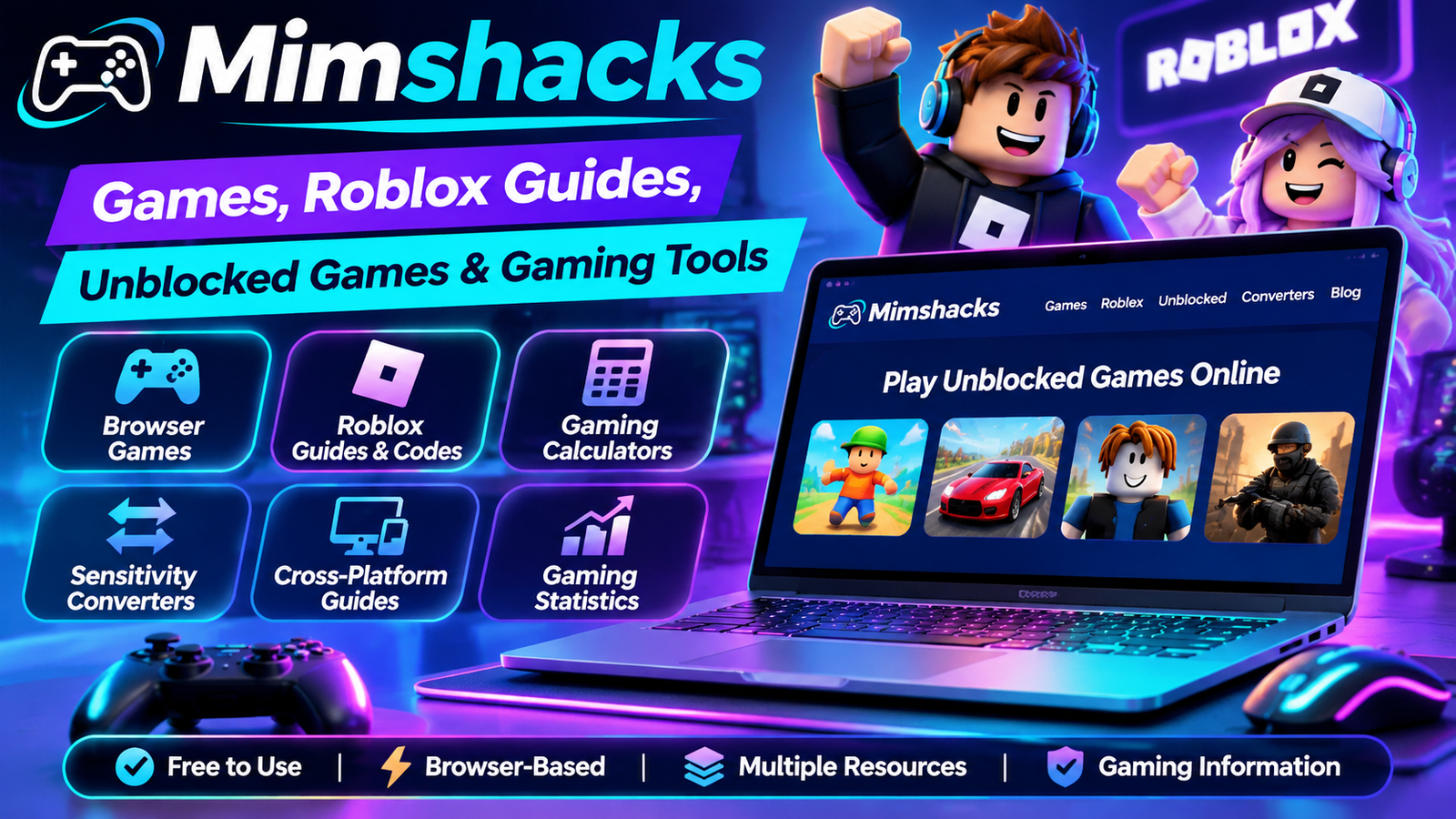
Mimshacks is an online gaming resource website featuring browser-based games, Roblox guides, gaming calculators, sensitivity converters, and gaming-related information. It brings different gaming resources together in one place, making it useful for casual players and people looking for practical gaming tools.
The website covers several areas beyond traditional online games. Visitors can explore unblocked games, find Roblox game guides and codes, learn about gaming terminology, compare mouse sensitivity settings, and read gaming statistics and tutorials.
However, Mimshacks is not a single video game or a traditional game development studio. Its website presents a collection of gaming content and resources, including material associated with external gaming providers.
This guide explains what Mimshacks offers, how its main features work, which tools are available, and what visitors should know about access, safety, and the website’s background.
What Is Mimshacks?
Mimshacks is a gaming-focused website that provides access to browser games, gaming guides, Roblox resources, and online gaming utilities.
According to its official About page, the website aims to make unblocked gaming accessible to players. It also identifies affiliations with GameMonetize and HTML5Games as part of its gaming content offering.
The website describes its experience in gaming as exceeding seven years. This is a company-published statement rather than an independently audited business history.
Mimshacks is better understood as a gaming resource platform than as a developer that creates every game listed on its website.
Its main content areas include:
- Unblocked browser games.
- Roblox guides and promotional codes.
- Trello and Discord resources.
- Gaming calculators and converters.
- Cross-platform gaming information.
- Gaming statistics and terminology.
- Gaming news and educational articles.
- Browser-related entertainment and interactive content.
This variety makes the website relevant to people who want to discover games as well as players looking for information to improve their gaming experience.
What Can You Find on Mimshacks?
Mimshacks contains several categories that serve different gaming interests. Understanding these categories makes it easier to find the information or tools you need.
Unblocked Browser Games
Unblocked games are one of the main features associated with Mimshacks.
The website lists browser games that can be accessed through supported web browsers without necessarily installing a separate desktop game.
Its published game listings include examples such as:
- Stumble Guys.
- Spelunky.
- Wheely.
- Slither.io.
- Google Feud.
- Cookie Clicker 2.
- Hexanaut.io.
- Zombocalypse.
These examples come from the website’s published unblocked-game listings. Individual game availability can change depending on the provider, browser, and network environment.
Some games are supplied through external providers rather than developed by Mimshacks itself.
Roblox Guides and Game Codes
Roblox resources form another important part of the website.
Mimshacks publishes guides covering different Roblox experiences, including information about gameplay, promotional codes, Trello boards, and Discord communities.
Examples appearing in its Roblox content include:
- Cursed Sea.
- Grimoires Era.
- AOPG.
- Eternal Nen.
- King Legacy.
- GPO.
- Fire Force Online.
- Legends ReWritten.
These guides can help players find game-related information without searching through multiple websites.
However, Roblox codes are often temporary. Developers can change or expire promotional codes at any time.
Always check the original game’s official channels before relying on a code or community invitation.
Trello and Discord Resources
Some Roblox games use Trello boards to organize information about updates, quests, abilities, characters, and development plans.
Discord communities can provide announcements, discussions, support, and player interaction.
Mimshacks includes guides that direct readers toward these types of resources.
Before joining an external Discord server or following a Trello link, check that it belongs to the relevant game or developer.
Never provide your Roblox password or account recovery information through an external community link.
Gaming Calculators and Converters
Mimshacks also features gaming utilities designed to help players understand or adjust their settings.
Its converter section includes:
- eDPI calculator.
- Apex Legends sensitivity converter.
- Valorant-to-CSGO sensitivity converter.
- Overwatch-to-CS:GO sensitivity converter.
- Modern Warfare and XDefiant sensitivity information.
- TikTok Diamonds to USD converter.
These tools are useful for people who want to compare gaming settings or understand how certain values relate to one another.
Their accuracy depends on the formulas and assumptions used by each individual converter.
Cross-Platform Gaming Guides
Cross-platform gaming allows players on different supported devices to play together.
For example, some games support multiplayer sessions involving PC and console users.
Mimshacks includes a cross-platform content category that can help readers explore compatibility-related gaming information.
However, cross-platform support varies by title, platform, and game version. Always check the game’s official documentation for current compatibility details.
Gaming Slangs and Terminology
Gaming communities frequently use abbreviations and expressions that can be confusing for beginners.
Mimshacks includes informational content explaining gaming terminology, including concepts such as eDPI and other game-specific expressions.
This can help new players understand conversations, settings, and instructions used by more experienced gamers.
Gaming Statistics, News and Blog
The website also publishes gaming-related articles and statistics.
These categories cover topics such as gaming trends, player behavior, professional gaming, and industry information.
When using statistics from any online gaming article, check its original research source and publication date.
A page displaying a 2026 heading does not necessarily mean that its underlying information was collected or updated in 2026.
Do A Barrel Roll and Browser Tricks
Mimshacks also features browser-related entertainment and interactive content.
The Do A Barrel Roll topic is associated with Google’s well-known browser Easter egg, which rotates the search results page when the relevant search is performed.
This type of content provides a lighter experience alongside the website’s gaming guides and tools.
How Does Mimshacks Work?
Finding gaming content on Mimshacks is relatively straightforward.
Here is a simple way to explore the website.
Step 1: Visit the Official Website
Open https://mimshacks.com/ using a supported web browser.
Check the website address carefully to avoid similarly named websites.
Step 2: Choose a Gaming Category
Explore the available sections, such as Games, Roblox, Unblocked, Converters, Statistics, or Gaming Slangs.
Selecting the right category helps narrow down the information you need.
Step 3: Find a Game or Guide
Open the relevant listing and review its instructions, description, and available links.
For Roblox guides, pay attention to the game name and the date of the information.
Step 4: Explore Available Gaming Tools
If you want to compare mouse sensitivity or calculate eDPI, visit the Converters section.
Select the tool relevant to your game and enter the required values.
Step 5: Check External Links
Some games and resources involve third-party websites.
Verify the destination before downloading anything, joining a community, or entering personal information.
How Does the Mimshacks eDPI Calculator Work?
The eDPI calculator is one of the more practical gaming tools featured on Mimshacks.
It helps players compare effective mouse sensitivity using two settings: mouse DPI and in-game sensitivity.
What Does eDPI Mean?
DPI stands for dots per inch. In gaming, it describes how much movement a mouse reports when it travels across a physical surface.
In-game sensitivity controls how strongly the game responds to that mouse movement.
eDPI combines these two values into one number.
eDPI Calculation Formula
The formula is:
eDPI = Mouse DPI × In-game Sensitivity
For example:
- Mouse DPI: 800.
- In-game sensitivity: 0.5.
- Calculated eDPI: 400.
A player using 1600 DPI and 0.25 sensitivity also gets an eDPI of 400.
| Mouse DPI | In-game sensitivity | eDPI |
|---|---|---|
| 400 | 1.0 | 400 |
| 800 | 0.5 | 400 |
| 1600 | 0.25 | 400 |
| 800 | 0.75 | 600 |
Why Is eDPI Useful?
eDPI makes it easier to compare effective sensitivity between players using different mouse DPI settings.
It can also help players maintain familiar settings when changing hardware.
However, matching eDPI does not automatically produce identical aiming behavior across different games. Each game can use its own sensitivity scale and input mechanics.
For the best results, use a converter designed for the specific games you want to compare.
You can explore the Mimshacks calculator here:
https://mimshacks.com/converters/edpi-calculator/
How Do Mimshacks Sensitivity Converters Work?
Sensitivity converters are useful for players who switch between competitive games.
For example, someone who regularly plays Valorant might want to find a comparable mouse sensitivity in Counter-Strike.
A converter uses game-specific sensitivity relationships to estimate an equivalent setting.
Mimshacks lists tools and guides covering games such as:
- Valorant.
- Counter-Strike.
- Apex Legends.
- Overwatch.
- Modern Warfare.
- XDefiant.
The main advantage is convenience. Instead of manually researching different sensitivity systems, players can use a relevant conversion tool.
Nevertheless, converted values should be treated as starting points rather than guaranteed perfect matches.
Different games can have different field-of-view settings, aiming mechanics, scopes, and input behavior.
Players should test converted settings in actual gameplay and adjust them according to personal preference.
What Does Unblocked Gaming Mean?
Unblocked gaming generally refers to accessing browser games in environments where some gaming websites may be restricted.
Browser-based games can sometimes be played without installing dedicated software.
Mimshacks describes its website as a destination for unblocked games and aims to make gaming accessible through a browser.
However, the term unblocked does not guarantee access on every device or network.
Schools, workplaces, and other institutions may apply their own filtering policies. These restrictions can prevent certain gaming websites or external game providers from loading.
Always follow the network rules of the organization you are using.
Is Mimshacks Free to Use?
Mimshacks publicly presents gaming content and unblocked-game resources that visitors can browse online.
Its website also identifies relationships with external gaming providers.
However, there is no clearly established universal pricing schedule covering every external game or service linked from the platform.
Some third-party providers may display advertisements, offer optional purchases, or apply their own terms.
Before using an external service, check its pricing and conditions separately.
Can You Use Mimshacks on Mobile Devices?
Mimshacks is a browser-accessible website, so visitors can open it through a mobile browser.
However, this does not guarantee that every listed game or calculator will work equally well on smartphones and tablets.
Compatibility can depend on:
- The mobile browser.
- The game’s design.
- Touchscreen controls.
- Device performance.
- Screen size.
- Third-party game requirements.
Some games are better suited to desktop controls, particularly those requiring precise mouse movement.
If a game does not load correctly on mobile, check the provider’s supported devices and browser requirements.
Is Mimshacks Safe and Legit?
Mimshacks has a publicly accessible website and publishes gaming guides, browser-game listings, and online tools.
However, this alone is not sufficient to establish that every linked game, advertisement, or external resource is safe.
A sensible approach is to evaluate the website and its external links separately.
Check the Official Website Address
Use the correct domain:
Be cautious of websites with similar names or unusual URL variations.
Understand Third-Party Game Providers
Mimshacks identifies affiliations with GameMonetize and HTML5Games.
Its older website disclosure also states that it does not own the games listed and references external gaming providers.
This distinction matters because the safety, availability, and privacy practices of external services may differ.
Avoid Suspicious Downloads and Advertisements
Do not install unfamiliar browser extensions, executable files, or applications simply because a game link recommends them.
Avoid advertisements that promise free rewards in exchange for personal information.
Protect Your Roblox Account
Never share your Roblox password, authentication codes, or account recovery details with third-party websites.
Use official Roblox account and support channels when dealing with login or security issues.
Check Discord and Trello Links
Verify that external community links are associated with the correct game or developer.
Be cautious of impersonation accounts, fake giveaways, and requests for account credentials.
Consider Content Suitability
Mimshacks publishes different types of gaming and informational content, and its wider website includes some gambling-related articles.
Parents and guardians should review individual pages and external game content before allowing younger users to access them.
There is not enough independent security testing available in this research to declare the entire website or every linked service completely safe.
Mimshacks History and Digital Background
Mimshacks has an interesting reported history involving different online business activities.
In an August 2024 LinkedIn post, Avinesh Bundhoo described the website as having started approximately six years earlier as a dropshipping venture.
According to his account, it later transitioned into a gaming platform focused on unblocked games.
The Reported 2024 Website Sale
The same LinkedIn post reported that Mimshacks.com was sold through Flippa for $4,500 in 2024.
It also shared the following historical figures:
| Historical metric | Reported figure |
|---|---|
| Monthly page views | 178,800 |
| Monthly earnings | $834 |
| Monthly profit | $587 |
| Reported sale price | $4,500 |
These numbers come from the author’s public account of the transaction. They are not independently audited financial results and should not be interpreted as the website’s current traffic, earnings, or value.
The current ownership relationship and continuity of the website following that reported sale have not been conclusively established through the sources reviewed.
A Separate Creative and Media Identity
Mimshacks Studios is another name associated with the Mimshacks search term.
Its public professional profile describes creative and media services, including:
- Photography.
- Videography.
- Video editing.
- Branding.
- Social media advertising.
These services are different from the browser games and gaming guides available on Mimshacks.com.
Although both names are associated with public online information, their current ownership relationship has not been conclusively verified.
Mimshacks.com vs Mimshacks Studios
Understanding the difference between these two identities can prevent confusion.
| Area | Mimshacks.com | Mimshacks Studios |
|---|---|---|
| Main focus | Online gaming resources | Creative and media services |
| Games | Yes | Not its main offering |
| Roblox guides | Yes | Not established |
| Gaming calculators | Yes | Not established |
| Photography | Not its main offering | Yes |
| Videography | Not its main offering | Yes |
| Branding services | Not its main offering | Yes |
| Social media advertising | Not its main offering | Yes |
Mimshacks.com is the relevant destination for people searching for browser games, Roblox resources, and gaming utilities.
Mimshacks Studios should be treated as a separate creative-services identity unless a reliable source establishes a current ownership connection.
Advantages and Limitations of Mimshacks
Like other gaming resource websites, Mimshacks has useful features as well as limitations.
Advantages
Multiple gaming resources: Visitors can explore games, Roblox guides, calculators, and informational articles in one place.
Browser-based access: Many listed games can be explored through supported web browsers.
Useful gaming utilities: The eDPI calculator and sensitivity converters provide practical information for competitive players.
Roblox resources: Game guides and community references can help players discover information about different Roblox experiences.
Beginner-friendly information: Gaming terminology and educational articles can help newer players understand unfamiliar concepts.
Limitations
Third-party availability: Some games and resources depend on external providers.
Changing Roblox codes: Promotional codes can expire without notice.
Different device requirements: Not every game is compatible with every smartphone, browser, or computer.
External advertisements: Linked providers may have their own advertising and privacy practices.
Limited ownership transparency: The available public information does not conclusively establish the current ownership relationship between Mimshacks.com and Mimshacks Studios.
Understanding these limitations helps visitors make better decisions when using the platform.
Frequently Asked Questions
Q1. What is Mimshacks?
Ans: Mimshacks is an online gaming resource website featuring browser games, Roblox guides, gaming calculators, and gaming-related articles.
Q2. Is Mimshacks a game or a website?
Ans: Mimshacks is a website, not one individual video game or a conventional game development studio.
Q3. Is Mimshacks free to use?
Ans: Its public gaming resources are accessible online, but external providers may have their own advertisements, purchases, or terms.
Q4. Does Mimshacks offer Roblox codes?
Ans: Yes. It publishes Roblox guides containing game information and promotional code resources, although individual codes may expire.
Q5. Is Mimshacks an official Roblox website?
Ans: No. Mimshacks is a separate gaming resource website, not an official Roblox property.
Q6. What is the Mimshacks eDPI calculator?
Ans: It calculates effective mouse sensitivity by multiplying mouse DPI by in-game sensitivity.
Q7. Can you use Mimshacks on mobile?
Ans: You can visit the website through a mobile browser, but individual games and tools may have different compatibility requirements.
Q8. Is Mimshacks safe for children?
Ans: Its suitability depends on the specific content and external links. Parents should review individual games and pages before allowing children to use them.
Q9. Does Mimshacks develop its own games?
Ans: Its website lists games from external providers and does not establish that Mimshacks develops every listed title.
Q10. Is Mimshacks the same as Mimshacks Studios?
Ans: They have different publicly described services. Their current ownership relationship has not been conclusively verified.
Conclusion
Mimshacks is a gaming resource website that brings together browser games, Roblox guides, gaming calculators, sensitivity converters, and informational content.
Its appeal comes from offering different types of gaming resources in one online destination. Casual players can explore browser games, Roblox users can find guides and community references, and competitive players can use tools such as the eDPI calculator.
However, visitors should understand that some resources depend on external providers and that game availability, promotional codes, and compatibility can change.
It is also important to distinguish Mimshacks.com from Mimshacks Studios, as the two names are associated with different publicly described services.
Overall, Mimshacks can be a useful starting point for exploring online gaming resources, provided users verify external links, protect their accounts, and check the latest information before relying on individual guides.