
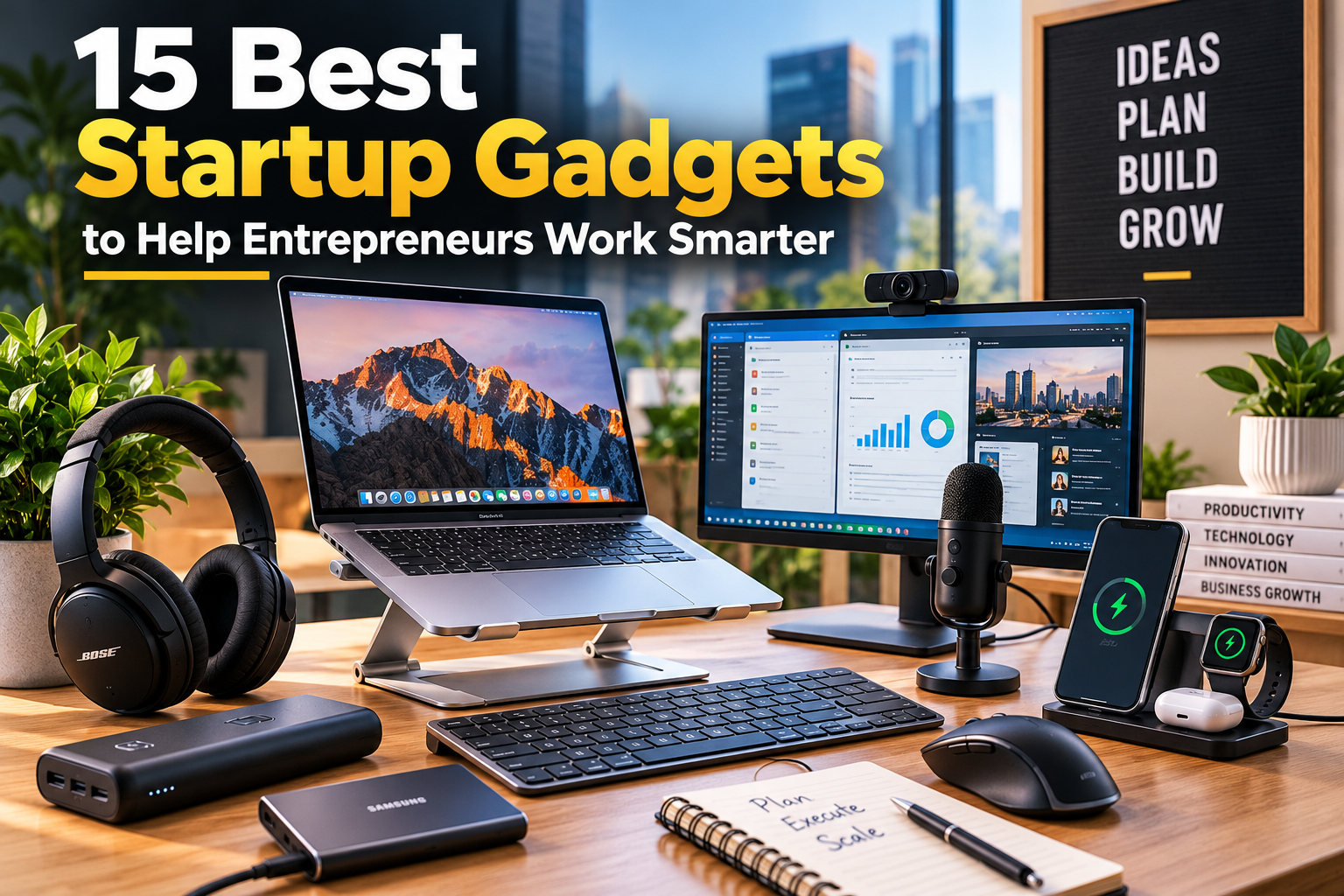
Starting a business involves more than a good idea. Entrepreneurs also need reliable technology to communicate with customers, manage daily tasks, organize information, and keep operations running smoothly.
The good news is that you do not need an expensive office or a desk full of electronics to build a successful startup. A few carefully chosen gadgets can make everyday work easier and help you use your time more effectively.
The best startup gadgets solve real problems. For example, a second monitor can simplify research, noise-canceling headphones can help you concentrate, and a portable power bank can keep your devices running while you travel.
In this guide, we will explore 15 useful startup gadgets, explain who can benefit from them, and share practical tips for choosing the right equipment for your business.
Why Startup Gadgets Matter for Entrepreneurs
Technology can help founders manage daily responsibilities without adding unnecessary complexity. The right equipment can improve several areas of business operations.
- Productivity: Reduce interruptions and make routine tasks easier.
- Communication: Improve the quality of virtual meetings with clients, employees, and partners.
- Organization: Keep business documents, notes, and digital files accessible.
- Mobility: Work more comfortably from coworking spaces, client offices, or home.
- Cost control: Choose equipment that solves recurring problems instead of paying for features you rarely use.
However, gadgets cannot replace a clear business strategy. Before spending money, identify the biggest obstacles in your daily workflow and choose equipment that addresses them.
15 Best Startup Gadgets for Entrepreneurs
1. Wireless Noise-Canceling Headphones
Wireless noise-canceling headphones are useful for founders who work in shared offices, busy homes, or public spaces.
Active noise cancellation reduces certain background sounds, making it easier to concentrate. Many models also include microphones for video meetings and wireless connectivity for moving between devices.
Best for: Remote workers, consultants, freelancers, and startup founders who attend frequent meetings.
What to consider: Check microphone quality, battery life, comfort, device compatibility, and the effectiveness of the noise cancellation. Remember that these headphones reduce noise but do not eliminate every sound.
2. Portable Laptop Stand
A portable laptop stand raises your screen to a more comfortable viewing height. This can make a difference when you spend several hours writing, researching, or managing business operations.
Many stands fold flat and fit inside a laptop bag. Some models also provide adjustable height and angle settings.
For a more comfortable workstation, pair the stand with an external keyboard and mouse. This arrangement lets you position the screen separately from your hands.
Best for: Entrepreneurs who work from home, travel frequently, or use coworking spaces.
What to consider: Look for a stable design, suitable laptop size support, adjustable positioning, and a compact folding mechanism.
3. USB-C Docking Station
A USB-C docking station connects a laptop to multiple accessories through a single connection. Depending on the model and your computer, it may support external displays, USB devices, Ethernet, audio, and power delivery.
This gadget is particularly helpful if you regularly connect and disconnect your laptop from a permanent desk setup.
Instead of plugging in several cables individually, you can connect compatible equipment through one dock.
Best for: Founders who use multiple monitors, external storage, wired networking, or several desk accessories.
What to consider: Confirm that the dock supports your laptop’s ports, display requirements, charging needs, and operating system. Not every USB-C port supports the same capabilities.
4. External Monitor
An external monitor provides additional screen space for business tasks. You could keep a spreadsheet open on one display while reviewing documents, answering emails, or researching competitors on another.
This setup can be especially helpful for people who regularly compare information across several applications.
You do not necessarily need an expensive ultrawide display. A standard monitor with a suitable resolution and comfortable screen size may be enough.
Best for: Content writers, analysts, software developers, marketers, and founders who handle multiple tasks.
What to consider: Review resolution, screen size, available ports, desk space, and compatibility with your computer.
5. Ergonomic Keyboard and Wireless Mouse
A comfortable keyboard and mouse can make everyday computer work more convenient. Wireless models also help reduce cable clutter and make it easier to maintain an organized desk.
Some keyboards offer compact layouts, while others include a number pad for financial work. Mouse designs also vary, so the best option depends on your hand size, grip, and working habits.
Best for: Entrepreneurs who spend much of their day writing, managing spreadsheets, coding, or working with business software.
What to consider: Prioritize comfort, reliable connectivity, battery life, and compatibility. An ergonomic design should feel comfortable for your body rather than simply look different.
6. Portable Power Bank
A portable power bank provides backup power for compatible phones, tablets, and other devices. It is especially useful when you travel, attend conferences, or work away from a desk.
Some high-capacity models can also charge compatible laptops. However, you must check the device’s power requirements and the power bank’s output before purchasing.
Best for: Traveling founders, sales professionals, consultants, and entrepreneurs who attend events.
What to consider: Check capacity, charging speed, output wattage, connector types, and airline restrictions. Battery capacity alone does not determine how quickly a device will charge.
7. High-Quality Webcam
A dedicated webcam can improve video meetings when your laptop’s built-in camera does not provide the quality you need.
A good webcam can deliver clearer video, better exposure, and more flexible positioning. Some models also offer automatic framing or other software features.
Clear video can help create a more professional experience during sales calls, interviews, investor meetings, and online presentations.
Best for: Remote teams, online consultants, startup founders, and businesses that communicate with customers virtually.
What to consider: Look at video resolution, low-light performance, autofocus, microphone quality, and mounting options. Lighting and camera positioning also affect the final result.
8. USB Microphone
Audio quality matters during virtual meetings, webinars, podcasts, and product demonstrations. A dedicated USB microphone can offer clearer sound than a basic laptop microphone, depending on the model and your environment.
Some microphones are designed to sit on a desk, while others attach to a stand or boom arm.
You do not need a professional recording studio to improve your audio. A suitable microphone, a quiet room, and sensible positioning can provide a useful starting point.
Best for: Content creators, coaches, consultants, podcasters, and founders who frequently present online.
What to consider: Compare pickup patterns, background-noise handling, connectivity, desk space, and ease of setup.
9. Portable Solid-State Drive (SSD)
A portable SSD gives you additional storage for business documents, media files, project backups, and other important data.
It can be particularly valuable for startups that handle large files, including video footage, design projects, software files, and marketing assets.
However, an external drive should not be your only backup. If the device is lost, damaged, or infected by malware, your data could still be at risk.
Best for: Designers, developers, content teams, photographers, and businesses working with large files.
What to consider: Check storage capacity, transfer speeds, durability, encryption options, and compatibility. Maintain a separate backup and use secure cloud storage where appropriate.
10. Digital Note-Taking Tablet or Smart Notebook
Entrepreneurs constantly collect ideas, meeting notes, customer feedback, and project plans. A digital note-taking tablet or smart notebook can help organize that information.
Some devices allow handwriting and document annotation. Others convert handwritten notes into digital files that you can search or share.
Nevertheless, these products serve different needs. A dedicated e-ink notebook may suit someone who prefers writing without distractions, while a general-purpose tablet offers more applications.
Best for: Founders who brainstorm frequently, attend meetings, plan projects, or review documents.
What to consider: Compare handwriting quality, search features, export options, battery life, subscription costs, and integration with your existing tools.
11. Reliable Wi-Fi Router or Mesh Networking System
A dependable internet connection is essential for many modern startups. Poor connectivity can interrupt video calls, slow file transfers, and disrupt cloud-based applications.
A modern router may be sufficient for a small office. Larger spaces or buildings with weak coverage may benefit from a mesh networking system.
Before buying new hardware, check whether your existing internet plan, router placement, or network configuration is causing the problem.
Best for: Home-based businesses, remote teams, coworking spaces, and small offices.
What to consider: Review coverage, internet speed compatibility, security updates, device capacity, and available Ethernet ports. Choose equipment that fits your space rather than paying for unnecessary coverage.
12. Smart Power Strip
A smart power strip allows compatible devices to be controlled through scheduled settings, an app, or voice commands, depending on the model.
For example, you may use one to manage desk lighting or switch off selected equipment outside working hours.
However, not every electronic device should be connected to an ordinary smart plug. Check the manufacturer’s instructions and power ratings, particularly for equipment with high electrical loads.
Best for: Small offices, home workspaces, and founders who want simpler control over compatible equipment.
What to consider: Check electrical ratings, safety certifications relevant to your market, connectivity requirements, and whether remote control is genuinely useful for your setup.
13. Ring Light or Compact Video Light
Good lighting can improve the appearance of video calls, product demonstrations, and online presentations.
A compact light can help reduce harsh shadows and make your face easier to see on camera. Content-focused startups may also use lighting for product photography and short marketing videos.
You do not always need a ring light. A window providing soft natural light may be enough for everyday meetings.
Best for: Consultants, online educators, content creators, e-commerce businesses, and remote teams.
What to consider: Look for adjustable brightness, color temperature controls, a stable stand, and a size that fits your workspace.
14. Bluetooth Tracker for Business Equipment
A Bluetooth tracker can help you locate compatible items such as bags, keys, or certain equipment cases. Depending on the tracker and its network, you may be able to view the last known location or receive a nearby finding signal.
This can be helpful for entrepreneurs who frequently move between offices, client locations, and conferences.
However, a tracker is not a guaranteed recovery system. Its range, location accuracy, and network availability depend on the product and environment.
Best for: Traveling professionals, consultants, event organizers, and founders who carry important equipment.
What to consider: Check compatibility with your phone, battery replacement options, tracking network availability, and privacy features.
15. Multi-Device Wireless Charging Station
A multi-device wireless charging station can reduce cable clutter by charging compatible phones, earbuds, and smartwatches in one place.
This is particularly useful for founders who use several personal and business devices throughout the day.
Compatibility is important because wireless charging standards, device sizes, and charging requirements vary. Some products support only specific device combinations.
Best for: Entrepreneurs with multiple compatible personal or business devices.
What to consider: Check supported devices, charging standards, power adapter requirements, charging speed, and physical layout.
How to Choose the Right Gadgets for Your Startup
A long list of equipment does not automatically create a productive business. Instead, evaluate each potential purchase against your actual needs.
1. Identify Your Biggest Workflow Problem
Start by examining your daily work.
Do you struggle with limited screen space? Are online meetings difficult because of poor audio? Do you repeatedly run out of battery power while traveling?
Write down the problems that occur most often. Then look for gadgets that directly address them.
2. Set a Realistic Budget
New businesses must balance technology spending with other expenses, including marketing, software, payroll, and customer acquisition.
Set a spending limit before shopping. You can also prioritize purchases by separating essential equipment from optional upgrades.
A basic laptop stand or reliable charging accessory may provide more immediate value than a premium device with features you rarely use.
3. Check Compatibility Before Buying
A product may look suitable but still fail to work properly with your existing equipment.
Before purchasing, verify operating system support, port compatibility, power requirements, software access, and warranty coverage.
This simple step can help prevent unnecessary returns and additional expenses.
4. Consider Security and Data Protection
Business gadgets often connect to important files, networks, and online accounts. Therefore, security should be part of your buying decision.
Use reputable manufacturers, install available security updates, and protect devices with strong authentication. Encrypt sensitive data where appropriate, and maintain separate backups of important business files.
For additional guidance, the Cybersecurity and Infrastructure Security Agency (CISA) provides resources on protecting digital systems and information.
5. Evaluate Long-Term Value
The cheapest gadget is not always the most economical option. A poorly built accessory may need frequent replacement, while an expensive device may offer features your business does not need.
Compare the total cost, expected usage, reliability, warranty, and maintenance requirements. Choose the product that offers the most practical value for your workflow.
Essential Startup Gadgets for Different Businesses
Different business models require different equipment. Here is a simple way to prioritize your purchases.
Remote and Home-Based Startups
Focus on a comfortable laptop setup, reliable internet, headphones, and suitable lighting. These items can support daily communication and reduce common workspace problems.
E-Commerce Startups
A portable SSD, product photography light, reliable computer accessories, and a label printer may be useful, depending on how you manage inventory and fulfill orders.
If you outsource fulfillment, you may not need to buy printing equipment at all.
Technology Startups
Developers and technical founders may benefit from additional monitors, a docking station, external storage, and reliable networking equipment.
Choose tools based on your development environment, collaboration needs, and data requirements.
Content and Consulting Businesses
A webcam, USB microphone, headphones, and appropriate lighting can improve client meetings and content production.
If you record or edit large amounts of media, additional storage may become a higher priority.
For more ideas on using technology to improve business operations, explore our guide to AI for Small Business.
Which Startup Gadgets Should You Buy First?
If you are launching a business on a limited budget, start with the equipment that supports your most frequent tasks.
A practical purchase order might look like this:
- Reliable computer and internet connection: Build a dependable foundation for everyday operations.
- Comfortable keyboard, mouse, and laptop stand: Improve the usability of your workspace.
- Headphones or a microphone: Address communication problems if you regularly attend virtual meetings.
- External monitor or docking station: Add these when limited screen space or connectivity slows your work.
- Portable power bank and external storage: Prioritize them if travel, battery life, or file management is a recurring challenge.
- Optional smart accessories: Purchase these when they provide a clear benefit.
This order is only a starting point. For instance, a content creator may need lighting and a microphone before an external monitor, while a software developer may prioritize additional screen space.
Common Mistakes to Avoid When Buying Startup Gadgets
Even useful equipment can become a waste of money when you purchase it without a clear reason.
Buying Gadgets Because They Are Trending
Popular products often receive attention because they look impressive or offer new features. However, popularity does not guarantee that a device will improve your business.
Choose products based on the problem they solve rather than their popularity.
Spending Too Much Before Validating Your Business
Early-stage startups often need to protect cash flow. Buying premium equipment for every possible future requirement can reduce the money available for essential business activities.
Start with what you need today. Upgrade when your workload or revenue justifies the expense.
Ignoring Compatibility
A docking station, charging accessory, or external display may not support every computer or device. Check the specifications before ordering.
Forgetting Data Backups
A portable SSD is useful, but keeping every important file on a single device creates unnecessary risk. Maintain a separate backup and periodically verify that your files can be recovered.
Buying Equipment You Rarely Use
Before purchasing a gadget, estimate how often you will use it and how much time or effort it could save.
If the benefit is unclear, wait. You can always buy the equipment later when a genuine need appears.
Frequently Asked Questions
Q1: What gadgets does a startup founder need?
Ans: Most founders benefit from a reliable computer, stable internet, a comfortable keyboard and mouse, and suitable charging equipment. Additional monitors, headphones, webcams, and storage devices can help depending on their responsibilities.
Q2: What are the best gadgets for small business owners?
Ans: The best choices depend on the business. Consultants may prioritize communication equipment, e-commerce owners may need product photography tools, and developers may benefit from extra displays and external storage.
Q3: Which gadgets improve productivity at work?
Ans: External monitors, laptop stands, docking stations, wireless peripherals, and noise-canceling headphones can address common workflow problems. Their value depends on how you work and whether they solve a recurring issue.
Q4: What should entrepreneurs buy on a limited budget?
Ans: Start with reliable essentials and the accessories that remove your biggest daily obstacles. Compare prices, check compatibility, and consider refurbished equipment from reputable sellers when appropriate.
Q5: Are expensive gadgets necessary for a new startup?
Ans: No. Expensive equipment is not a requirement for launching a business. Affordable, reliable products can support everyday operations while allowing you to preserve cash for other priorities.
Q6: How can I protect business data when using startup gadgets?
Ans: Keep devices and software updated, use strong authentication, encrypt sensitive information where appropriate, and maintain separate backups. Also, check the privacy and security practices of any connected apps or services.
Final Thoughts
The best startup gadgets are not necessarily the newest or most expensive products. They are the tools that help you complete important work with less friction.
Start by identifying the biggest problems in your daily routine. Then choose equipment that addresses those problems, fits your budget, and works with your existing devices.
You may need only a laptop stand, a comfortable keyboard, and a reliable internet connection at first. Later, as your business grows, you can invest in additional displays, better communication equipment, or specialized tools.
Buy with a purpose, measure the value, and upgrade when your business needs it. That approach helps you build a practical workspace without spending money on gadgets that simply look impressive.