
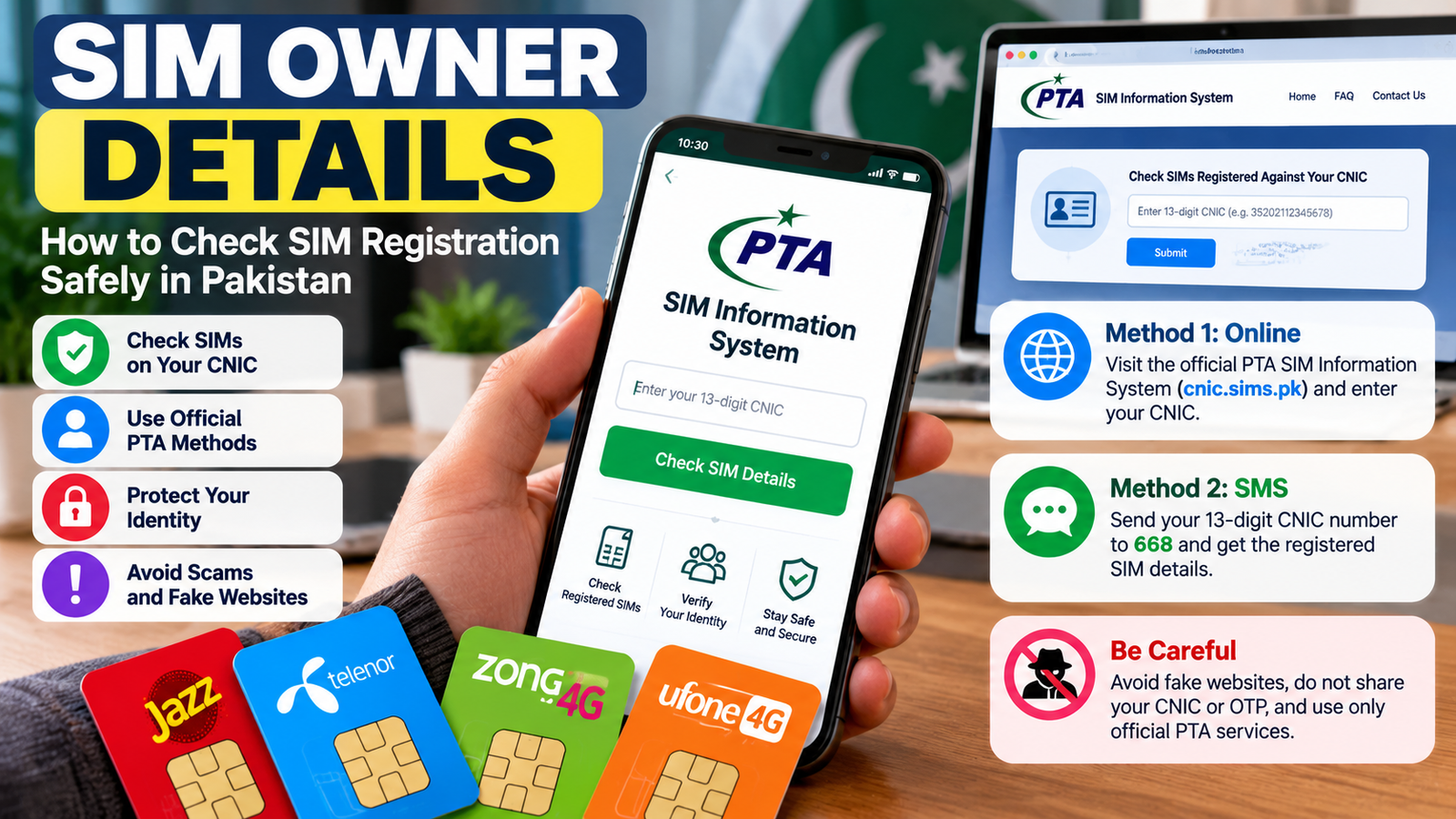
SIM owner details are often searched by people who want to verify a mobile number, check SIM registration, or find out how many SIM cards are registered under their identity in Pakistan. However, it is important to understand the difference between checking your own registration and trying to access another person’s private information.
The Pakistan Telecommunication Authority (PTA) provides an official SIM Information System that allows users to check the number of SIMs registered against their Computerized National Identity Card (CNIC). You can use the official PTA SIM Information System or send your CNIC number to the designated SMS service. These methods provide registration counts, not a public lookup of another person’s name and address.
In this guide, you will learn how to check SIM registration safely, verify your own SIM information, identify unauthorized registrations, and avoid websites that claim to reveal private subscriber details.
What Are SIM Owner Details?
SIM owner details refer to information associated with the registration of a mobile Subscriber Identity Module (SIM) card. A SIM allows a mobile device to connect to a cellular network and use services such as calls, text messages, and mobile data.
Depending on the verification method and your authorization, SIM-related information may include registration status, the mobile network, or details associated with your own registered connection.
In Pakistan, SIM registration is linked to identity verification requirements. Keeping your registration information accurate is important because the registered subscriber may be held responsible for misuse of a SIM registered in their name.
People usually search for SIM owner details for several reasons:
-
To check how many SIM cards are registered against their CNIC.
-
To verify a SIM they personally use.
-
To investigate a registration they do not recognize.
-
To protect their identity from unauthorized use.
-
To learn how to report a lost, stolen, or suspicious SIM.
The safest approach is to use official telecom channels and only access information you are authorized to view.
How to Check SIM Owner Details in Pakistan
If you want to verify SIM registrations associated with your own identity, Pakistan’s official SIM Information System provides an online option and an SMS option.
Method 1: Check SIMs Through the PTA Website
Official website: PTA SIM Information System
Follow these steps:
-
Open the official PTA SIM Information System website.
-
Select the CNIC option if you are checking your Pakistani identity card.
-
Enter your 13-digit CNIC number without dashes.
-
Complete the verification step shown on the page.
-
Submit your information and review the displayed results.
The service shows the number of SIMs registered against the CNIC, broken down by mobile operator. It does not provide a public list of another person’s phone numbers, name, or address.
Privacy tip: Enter your CNIC only on the official website. Avoid entering identity information into unfamiliar websites or forms promoted through unsolicited messages.
Method 2: Check SIM Registration Through SMS
You can also use the PTA-recommended SMS method to check SIM counts associated with your own CNIC.
Follow these steps:
-
Open the messaging application on your phone.
-
Type your 13-digit CNIC number without dashes.
-
Send it to 668.
-
Read the reply showing the number of SIMs registered against your CNIC for each operator.
Charges may apply to the SMS service. Check the current charges with your mobile operator if necessary. The PTA has publicly recommended both the 668 service and its online SIM Information System for checking registrations.
Use your own CNIC for this check. Never publish your identity number in comments or share it with unknown people offering to retrieve SIM records.
Can You Find the Owner’s Name Using a Mobile Number?
Many people search for ways to identify a SIM owner using only a mobile number. However, you should not assume that a public website can legitimately reveal a subscriber’s identity.
The PTA’s public SIM Information System is designed to check the number of SIMs registered against your own CNIC. It is not a public directory for looking up another person’s private subscriber information.
If you receive a suspicious call or message, safer options include:
-
Contacting your mobile operator through its official customer support.
-
Blocking unwanted calls or messages.
-
Keeping evidence of threatening or fraudulent communication.
-
Reporting suspected fraud to the appropriate authorities.
-
Letting authorized agencies handle requests for private subscriber information.
Avoid services claiming to reveal someone’s full name, CNIC, home address, or other confidential details from a phone number. Such claims may involve stolen data, scams, or attempts to collect your personal information.
How to Check Your Own SIM Registration
If you have a SIM card and want to verify its registration, start with your mobile operator.
Contact Your Mobile Network
Visit your operator’s official website, customer service center, or authorized franchise. Ask how to confirm that your SIM is registered correctly and what identification is required.
You may need to complete identity verification before the operator can provide account-specific information.
Check Your Registration Documents
If you recently purchased or replaced a SIM, review any confirmation messages or documentation provided by the operator. Keep your registration details secure and contact the operator if the information appears incorrect.
Verify an Unrecognized Registration
If the PTA SIM Information System shows more SIM registrations against your CNIC than you expect, do not ignore the result.
The count alone does not identify the exact phone numbers. Contact the relevant mobile operators and request a review of connections registered against your identity. Follow their verification process to identify and address any unauthorized registrations.
What to Do If an Unknown SIM Is Registered Against Your CNIC
An unfamiliar registration may require prompt attention. The correct response is to contact the mobile operator and ask for an investigation.
Use the following steps:
-
Check your CNIC registration count using the official PTA website or SMS service.
-
Contact the relevant operator and explain that you do not recognize one or more registrations.
-
Complete identity verification as requested by the operator.
-
Request corrective action if an unauthorized connection is confirmed.
-
Keep a record of your complaint, including its reference number and any response.
-
Escalate the matter through the PTA’s official complaint channels if it remains unresolved.
The PTA has advised consumers to contact the relevant service provider when they discover SIMs issued without their knowledge or consent.
For official assistance, visit the PTA complaint management system.
Common SIM Owner Details Scams to Avoid
Websites and social media accounts sometimes advertise instant access to SIM owner records. Be careful when using these services, especially if they request payment or sensitive personal information.
1. Fake SIM Database Websites
A site may claim that entering any phone number will reveal the owner’s name, CNIC, or address. Do not assume that such a service is authorized or that its information is accurate.
Use official verification channels instead.
2. Requests for Your CNIC or OTP
Never provide a one-time password (OTP), account PIN, or other authentication code to an unknown person offering a SIM lookup service.
Your CNIC is sensitive personal information. Share it only when necessary with a legitimate provider through a trusted channel.
3. Unsolicited Links and Downloads
Avoid clicking links in unexpected SMS messages, WhatsApp messages, or social media posts that claim your SIM is blocked or that your identity needs urgent verification.
The PTA has warned consumers about deceptive links designed to obtain personal information. When checking registration or device status, use official websites and services rather than links from unknown senders.
4. Paid Access to Private Subscriber Records
Be cautious of anyone selling supposedly confidential subscriber information. You cannot verify the legitimacy of a database simply because a seller provides screenshots or claims to have official access.
Do not pay for leaked information or use it to investigate another person’s private identity.
How SIM Registration Protects Your Identity
SIM registration helps mobile operators associate a connection with a verified subscriber. Checking your own registration can help you identify discrepancies and take action when something appears wrong.
You can improve your mobile security by following these practices:
-
Keep your CNIC and other identity documents secure.
-
Never purchase or use a SIM registered under another person’s identity.
-
Report lost or stolen SIM cards promptly.
-
Do not share OTPs or account credentials.
-
Review your SIM registration periodically.
-
Contact your operator if your SIM unexpectedly stops working or you suspect an unauthorized replacement.
-
Use official customer support for registration issues.
Businesses should also maintain secure procedures for employee phones and accounts. A compromised business number can create risks for account recovery, customer communication, and access to work-related services.
For more general digital safety advice, review your organization’s business website security and contact practices.
Frequently Asked Questions
Q1: How can I check SIM owner details in Pakistan?
Ans: To check how many SIMs are registered against your own CNIC, visit the official PTA SIM Information System at cnic.sims.pk or send your 13-digit CNIC number without dashes to 668. These methods provide SIM counts by operator, not another person’s private subscriber details.
Q2: Can I check a SIM owner’s name using a phone number?
Ans: The public PTA SIM Information System does not provide a general lookup of another person’s name and address using their phone number. For a legitimate concern, contact the relevant mobile operator or appropriate authorities.
Q3: Is the PTA SIM Information System free?
Ans: The online SIM Information System is available through the official PTA website. Charges may apply to the SMS service at 668, so check the current rate with your operator.
Q4: What should I do if an unknown SIM is registered against my CNIC?
Ans: Contact the relevant mobile operator, complete its identity verification process, and request an investigation. If the issue remains unresolved, submit a complaint through the PTA’s official complaint system.
Q5: Are SIM owner details websites safe?
Ans: Not necessarily. Some websites may collect personal information, display inaccurate data, or claim to provide confidential records without authorization. Prefer official telecom channels and avoid sharing your CNIC or OTP with unknown services.
Q6: Can I check how many SIMs are registered under my identity?
Ans: Yes. In Pakistan, you can use the PTA SIM Information System or send your own CNIC number to 668 to check the registration count by operator.
Conclusion
Checking SIM owner details in Pakistan starts with understanding what information you are authorized to access. The PTA SIM Information System and the 668 SMS service allow you to check how many SIMs are registered against your own CNIC.
If you discover an unfamiliar registration, contact the relevant mobile operator and request an investigation. Avoid unofficial lookup services that promise private subscriber information, and never share sensitive identity details with unknown websites.
The safest approach is to verify your own registration through official channels, protect your personal information, and report suspicious activity promptly.