
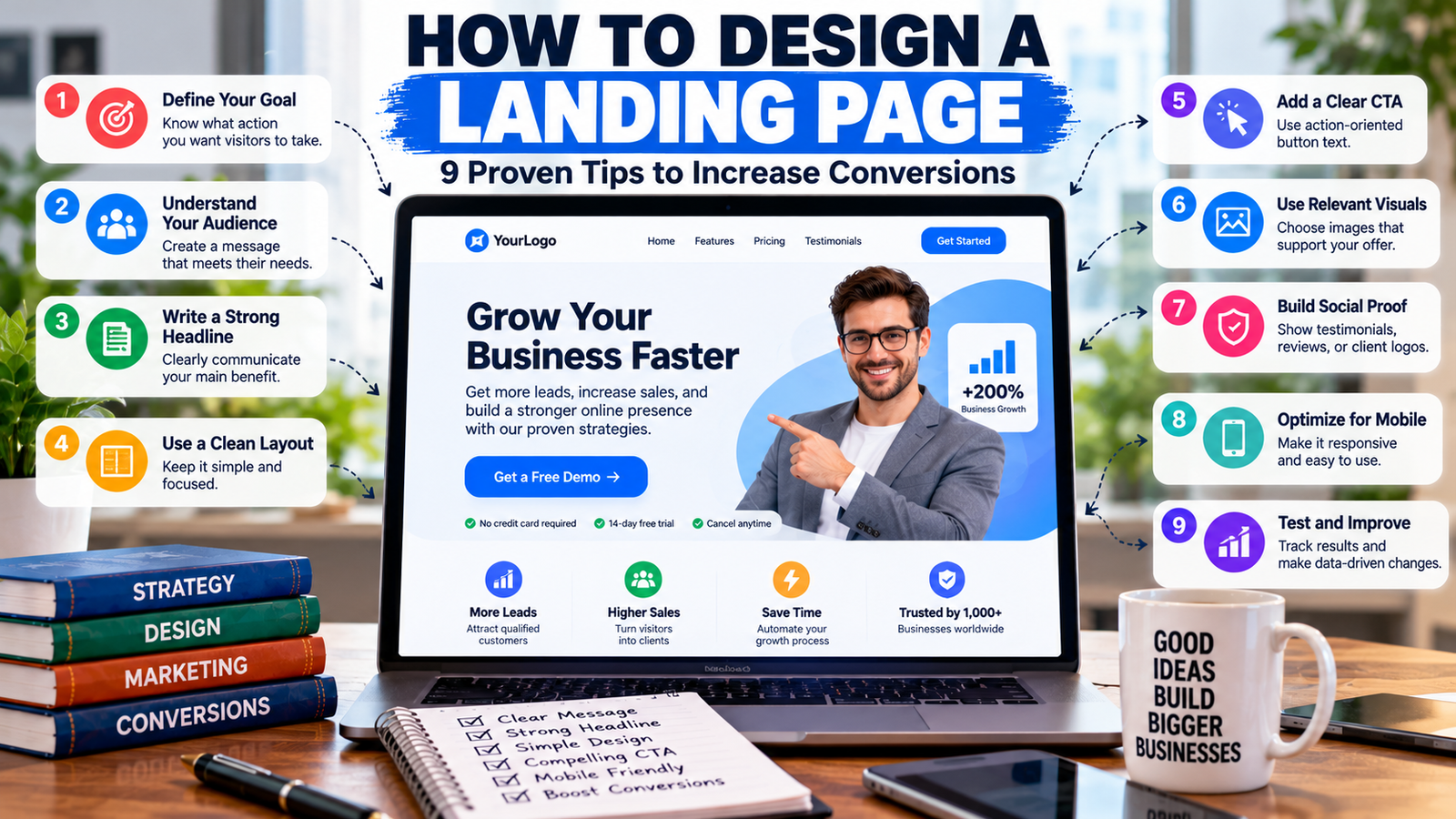
Landing page design plays an important role in turning website visitors into potential customers. Whether you want to generate leads, sell products, collect email subscribers, or promote a service, a well-designed landing page helps visitors understand your offer and decide what to do next.
However, an attractive page alone does not guarantee conversions. Visitors also need clear messaging, relevant information, a simple layout, and a noticeable call to action. If a page loads slowly, contains too many distractions, or makes the next step confusing, people may leave without taking action.
Learning how to design a landing page starts with understanding your audience and defining one clear goal. From there, you can create a page that communicates value, builds trust, and makes it easy for visitors to respond.
In this guide, you’ll learn nine practical landing page design tips, discover useful tools, explore common mistakes, and understand how to measure performance.
What Is a Landing Page?
A landing page is a standalone web page designed around a specific marketing goal. Visitors may arrive from search engines, advertisements, email campaigns, social media posts, or other websites.
Unlike a typical homepage, which introduces a business and links to multiple sections, a landing page usually focuses on one offer or action.
For example, a software company might create a landing page encouraging visitors to book a product demonstration. A marketing agency might use one to offer a free consultation, while an online store could create a page for a particular product or campaign.
Common landing page goals include:
-
Collecting leads through a contact form.
-
Selling a product or service.
-
Encouraging visitors to register for an event.
-
Getting users to download a guide.
-
Booking consultations or product demonstrations.
-
Building an email subscriber list.
The main objective is to help the right visitor understand the offer and complete the intended action with as little unnecessary friction as possible.
How to Design a Landing Page in 9 Steps
1. Define Your Landing Page Goal
Before choosing colors, images, or layouts, decide what you want visitors to do.
A landing page built to collect email addresses will need a different structure from one designed to sell an expensive service. Defining the goal first helps you decide which information to include and which elements to leave out.
Start by answering three questions:
-
Who is the intended audience?
-
What problem does the page solve?
-
What action should visitors take?
For example, if your goal is to generate leads for a digital marketing agency, your main call to action could be “Request a Free Consultation.”
Keep the primary goal consistent throughout the page. You can include supporting links when necessary, but avoid giving visitors too many competing actions.
2. Understand Your Target Audience
Effective landing page design begins with understanding the people who will visit the page.
Consider their needs, concerns, priorities, and familiarity with your product or service. A visitor who has never heard of your company may need more explanation and evidence of credibility than someone who already knows your brand.
Research your audience by reviewing customer questions, feedback, support conversations, and common objections.
Then use those insights to shape your headline, benefits, examples, and calls to action.
For instance, a landing page targeting small business owners might emphasize saving time, reducing administrative work, or generating more inquiries. A page aimed at experienced marketing professionals may need more specific details about integrations, reporting, or campaign performance.
The key is to explain your offer in language your audience understands.
3. Write a Clear and Compelling Headline
Your headline is often the first major piece of information visitors notice. It should communicate the main value of your offer quickly.
Avoid vague headlines such as “Welcome to Our Platform” when a more specific message would help visitors understand what you provide.
Instead, focus on the outcome or problem your offer addresses.
For example:
-
Weak: “Professional Marketing Solutions”
-
Better: “Generate More Qualified Leads With Targeted Marketing”
-
Weak: “Our Project Management Software”
-
Better: “Organize Team Projects and Keep Deadlines on Track”
Add a short subheading beneath the headline to explain how the offer works or who it helps.
Keep the wording accurate. Do not promise guaranteed results unless you can substantiate the claim and the promise is appropriate for your service.
4. Create a Clean and Focused Layout
A good layout helps visitors find important information without feeling overwhelmed.
Organize the page in a logical order, beginning with the main offer and moving toward supporting details, credibility signals, and the final call to action.
Useful design principles include:
-
Visual hierarchy: Make the headline, key benefits, and CTA easy to identify.
-
Whitespace: Leave enough space between sections to improve readability.
-
Readable typography: Use clear fonts and comfortable text sizes.
-
Consistent styling: Keep colors, buttons, and spacing consistent.
-
Short sections: Break information into manageable paragraphs and bullet points.
Avoid filling every available space with text, graphics, or promotional messages. A simpler layout can make your main message easier to understand.
Your design should also match your brand identity. A financial service may need a more formal appearance, while a creative agency might use a more expressive visual style.
5. Add a Strong Call to Action
A call to action (CTA) tells visitors what to do next. It may appear as a button, link, or form submission prompt.
Examples include:
-
Get a Free Quote
-
Book a Consultation
-
Start Your Free Trial
-
Download the Guide
-
Request a Demo
Choose wording that describes the action clearly. A specific CTA generally gives visitors more information than a vague label such as “Click Here.”
Make the primary CTA visually noticeable through appropriate contrast, spacing, and placement. Position it near the main offer and repeat it later when the page contains enough information to support another decision.
If you use a form, ask only for information you genuinely need. A long form can discourage visitors who are interested but not ready to provide extensive details.
Also, ensure that the button works correctly, the form provides useful confirmation, and the next step matches what the CTA promises.
6. Use Relevant Images and Visuals
Images can help visitors understand a product, visualize a service, or see how an offer works.
Choose visuals that support the message rather than adding decoration without purpose.
Depending on your landing page, useful visuals might include:
-
Product screenshots.
-
Service demonstrations.
-
Relevant workplace or lifestyle photographs.
-
Diagrams explaining a process.
-
Charts supported by real data.
-
Short demonstration videos.
For example, a software landing page may benefit from a clear product screenshot, while a consulting service may use a simple diagram showing its process.
Optimize images to reduce unnecessary file sizes, use appropriate dimensions, and provide descriptive alternative text when images communicate meaningful information.
Avoid irrelevant stock photography and oversized visuals that push important content too far down the page.
7. Build Trust With Social Proof
Visitors may hesitate if they are unfamiliar with your company or unsure whether your offer is reliable. Genuine evidence can help address these concerns.
Depending on your business, consider including:
-
Authentic customer testimonials.
-
Relevant case studies.
-
Verified customer reviews.
-
Authorized customer or partner logos.
-
Clear pricing and service details.
-
Accurate contact and business information.
-
Transparent privacy and refund policies where relevant.
For example, a digital agency could describe a real client project, explain the work completed, and present verified results with appropriate context.
Never invent testimonials, customer numbers, certifications, or performance statistics. Social proof should reflect real experiences and be used with appropriate permission.
Trust also comes from clarity. Explain what customers receive, what it costs, and what happens after they submit a form or make a purchase.
8. Optimize for Mobile Devices
Many visitors access websites from smartphones and tablets. A landing page that works well on a desktop but is difficult to use on a phone can lose potential conversions.
Use a responsive layout that adjusts to different screen sizes.
Check the following elements:
-
Text is readable without horizontal scrolling.
-
Buttons are large enough to tap comfortably.
-
Forms work properly on mobile devices.
-
Images resize without hiding important information.
-
Navigation and spacing remain usable.
-
Pop-ups do not obstruct the main content.
-
The page loads efficiently on slower connections.
Test your landing page on more than one screen size instead of relying exclusively on the desktop preview.
Google’s page experience documentation provides guidance on usability and the overall experience visitors receive.
9. Test and Improve Performance
Publishing a landing page is the beginning of the optimization process, not the end.
Monitor how visitors interact with the page and use the results to identify improvements.
Start by tracking key actions, such as form submissions, purchases, CTA clicks, and appointment bookings.
You can then test changes to elements such as:
-
Headlines and subheadings.
-
CTA wording and placement.
-
Form length.
-
Page layout.
-
Supporting images.
-
Benefit statements.
-
Trust signals.
When possible, run controlled A/B tests that compare two versions while keeping other factors consistent. This helps you understand whether a change actually improves performance.
Avoid changing everything at once. Make one meaningful change, collect enough data, and evaluate the result before moving to the next improvement.
Not every experiment will succeed, but consistent testing can help you make decisions based on evidence rather than assumptions.
Essential Elements of a High-Converting Landing Page
A landing page does not need every possible design feature. It needs the right elements for its goal and audience.
| Element | Purpose |
|---|---|
| Headline | Communicates the main offer or benefit |
| Subheading | Adds context and explains the value |
| CTA button | Guides visitors toward the desired action |
| Benefits section | Explains how the offer helps the audience |
| Relevant visuals | Demonstrates or clarifies the offer |
| Social proof | Provides genuine evidence of credibility |
| Lead form | Collects necessary information |
| Privacy information | Explains how personal information is handled |
| Mobile-friendly layout | Supports visitors using different devices |
| Analytics | Measures actions and identifies improvement opportunities |
The order and prominence of these elements should depend on the complexity of your offer. A simple downloadable guide may require very little explanation, while a high-value business service may need detailed benefits, case studies, pricing information, and answers to common objections.
Best Tools for Designing a Landing Page
You do not need to build every landing page from scratch. Several platforms offer visual editors, templates, and integrations that simplify the process.
WordPress Page Builders
WordPress page builders allow you to create landing pages using visual editing tools. They can be useful if your website already runs on WordPress and you want to manage pages within the same platform.
Choose a builder that supports responsive layouts, forms, reusable design elements, and the integrations you need.
Webflow
Webflow provides visual website design tools and layout controls. It may suit businesses that want more design flexibility without writing every component manually.
Consider its learning curve and pricing before choosing it for a simple landing page.
Unbounce
Unbounce focuses on landing pages and conversion optimization. It may be useful for marketing teams running campaigns that require landing page testing and lead capture features.
HubSpot Landing Page Tools
HubSpot offers landing page functionality alongside its broader marketing and customer relationship management tools. It may be appropriate for businesses that want to connect forms and campaigns with their lead management process.
Canva
Canva can help you create supporting visuals, graphics, and landing page mockups. However, check that the publishing option you choose supports your requirements for forms, analytics, integrations, and conversion tracking.
The best tool depends on your budget, technical experience, existing website, and the functionality you need. If you already have a business website, using a compatible page builder may be simpler than moving to a completely different platform.
How to Improve Landing Page Speed
A landing page should display its main content quickly and remain responsive when visitors interact with it. Slow loading and delayed interactions can create friction, especially on mobile devices.
Try these practical improvements:
-
Compress large images and use modern image formats where supported.
-
Avoid unnecessary scripts, animations, and third-party widgets.
-
Use caching and a reliable hosting service.
-
Load only the fonts and design resources you need.
-
Test the page on mobile and desktop connections.
-
Review performance reports after making changes.
You can use Google PageSpeed Insights to check performance and identify possible improvements. Its results provide useful diagnostic information, but improving a single score does not automatically guarantee higher conversion rates.
Also review Google’s mobile-friendly design guidance when checking the usability of your page across devices.
Common Landing Page Design Mistakes to Avoid
Even an attractive landing page can underperform when its message or user experience is unclear.
Using a Vague Headline
Visitors should quickly understand what you offer and why it matters. Replace general statements with specific, accurate benefits.
Including Too Many Calls to Action
Multiple competing actions can distract visitors from the main goal. Give the page one primary CTA and use supporting links only when they serve a clear purpose.
Asking for Too Much Information
Long forms can create unnecessary friction. Request only the information needed for the next step, and explain why sensitive information is required when applicable.
Ignoring Mobile Usability
Small buttons, crowded text, and horizontal scrolling can make a page difficult to use. Test your design on actual mobile screen sizes.
Using Unsupported Claims
Promises such as guaranteed results or exaggerated savings may damage trust. Use evidence-based statements and provide context for any performance figures.
Forgetting Analytics
Without tracking, you may not know whether visitors are completing the intended action. Configure conversion tracking before launching a campaign so you can evaluate its performance.
Failing to Test the Complete Journey
A page may look correct but still contain broken buttons, failed forms, or confusing confirmation messages. Test the entire visitor journey before publishing and after major updates.
How to Measure Landing Page Performance
Choose metrics that reflect the purpose of your page. A lead-generation page, for example, should focus on qualified inquiries rather than visits alone.
| Metric | What it measures |
|---|---|
| Conversion rate | Percentage of visitors who complete the intended action |
| Total conversions | Number of completed actions |
| CTA click-through rate | Percentage of visitors who click the main call to action |
| Form completion rate | Percentage of visitors who complete and submit a form |
| Page performance | Loading and responsiveness indicators |
| Cost per conversion | Campaign spending divided by the number of conversions |
Example: Calculate Your Landing Page Conversion Rate
Suppose a landing page receives 1,000 visitors in a month and generates 50 form submissions.
The conversion rate is:
This means 5% of visitors submitted the form.
However, form submissions do not necessarily represent qualified leads or paying customers. Review lead quality and downstream sales results to understand whether the page is producing valuable outcomes.
Use your own baseline to evaluate improvements rather than assuming one conversion rate is appropriate for every industry or offer.
Frequently Asked Questions
Q1: What makes a good landing page?
Ans: A good landing page has a clear headline, relevant information, a focused layout, a visible call to action, and enough evidence to build trust. It should also work smoothly on mobile devices and make the next step easy to understand.
Q2: How many sections should a landing page have?
Ans: There is no fixed number. A simple offer may need only a headline, benefits, a short form, and a CTA. More complex products or services may require testimonials, detailed explanations, pricing, and answers to common objections.
Q3: Is a landing page different from a homepage?
Ans: Yes. A homepage introduces the broader business and often links to multiple sections. A landing page usually focuses on a specific offer, campaign, or conversion goal.
Q4: Can I design a landing page without coding?
Ans: Yes. Platforms such as WordPress page builders, Webflow, and Unbounce provide visual editing tools that allow users to build landing pages without writing all the code themselves.
Q5: How do I increase landing page conversions?
Ans: Improve the clarity of your offer, make your CTA more noticeable, remove unnecessary form fields, demonstrate credibility, optimize mobile usability, and test changes using conversion data.
Q6: Does landing page design affect SEO?
Ans: Landing page design can influence usability, mobile experience, and page performance, which can affect visitors’ experience and support SEO efforts. However, good design alone does not guarantee rankings. Relevant content, technical accessibility, search intent, and other SEO factors also matter.
Conclusion
Learning how to design a landing page involves more than choosing colors and arranging images. You need to understand your audience, communicate a clear offer, create a focused layout, and guide visitors toward one meaningful action.
Start by defining your goal and writing a compelling headline. Then add relevant visuals, clear benefits, credible supporting information, and a strong call to action. Make sure the page works on mobile devices and loads efficiently.
Finally, measure conversions and test improvements using real data. By consistently refining your landing page, you can create a better user experience and improve your chances of turning visitors into leads or customers.